

So what does EOL mean to you?
For me, EOL first means End of Line. That is thanks to my interest in computers and the 1982 movie Tron. The computer programs in it would end a conversation thusly:
Back then, the computers I was dealing with indicated the end of a line of text not by a single character or phrase, but instead by the American Standard Code for Information Interchange signals for carriage return followed by line feed. Those were obvious holdovers from the days of mechanical teletypes. Having grown up learning to touch type on a manual typewriter, I was all too familiar with both functions, which were performed on an old typewriter by swiping a metal lever on the left end of the carriage.
Going back even further, telegraph operators used to send the Morse codes for B and T, without the usual pause between the two characters, as a “Prosign” to Break Text, and the Morse Prosign SK, for Silent Key, indicated the end of a transmission.
However, in computing these days, EOL commonly means End of Life: a cutoff date after which a product will no longer be supported. I’ve certainly encountered those over decades of personal computing. As I write this post in September 2024, there are a few EOLs coming up that interest me:
| EOL | Effect |
| October 14, 2025 | End of support for the Windows 10 Operating System |
| August 2027 | End of support for Google Pixelbook |
| 2027-2030 | Expected end of support for the Apple Mac Mini M1 |
Windows 10 EOL
Microsoft will no longer provide technical support, security updates, or software updates for Windows 10 after October 14, 2025. That will be a decade after it was initially released, and four years after Windows 11 became available. I’m used to that, as someone who has used Windows since version 1.03 was released in May 1986 and who fully switched from MS-DOS to Windows in 1995. Historically, Microsoft has often cut off support about a decade after a major release.
Windows 11 has no compelling advantage over Windows 10, and my personal Windows 10 desktop and laptop computers from 2017 would probably still be viable in October 2025 except that Microsoft has chosen to not support upgrading them to Windows 11.
Two decades ago, I was able to update a Dell desktop computer purchased in 2000 from Windows 98 to Windows 2000 and then Windows XP, but I haven’t always been so lucky. My 2009 Velocity Micro computer couldn’t handle the shift from Windows 7 to Windows 10.
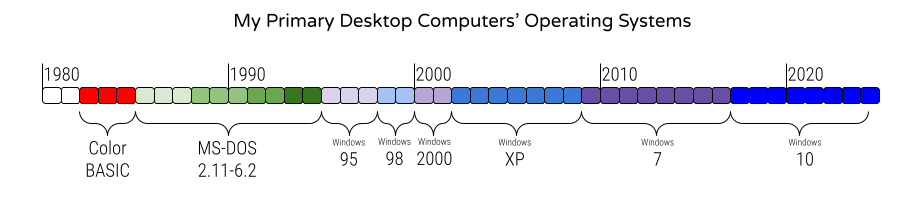
The Windows 10 EOL is why I directed that all of the desktop computers in our high school and middle schools be Windows 11 machines by the end of the summer of 2024, with the elementary schools and administrative sites to be refreshed by the end of the summer of 2025. The waves of desktop computer refreshes are coming seven years after our previous ones, and none of the computers we bought in that earlier refresh can be upgraded to Windows 11, although some systems we purchased after that can make the transition.
Those will also be the final refreshes I direct for the school district, as I have given my career in the Bartlesville Public Schools its own EOL of June 2026. I’ll be turning 60 in July 2026, and my finances are such that I can feasibly retire as I complete 37 years of service.
I think of my personal timeline like playing a piano keyboard right to left, starting with the highest pitches and working my way to the low notes, possibly getting to play 88 keys across over 7 octaves. The top two octaves were high tinkly notes I played while growing up, I am almost done playing three middle octaves while working at Bartlesville Public Schools, and I hope to play at least a couple of final octaves in retirement.

As I shift from earning a monthly paycheck to relying on a pension and retirement savings, I will need to be strategic in my computer purchases. I used nine different personal desktop computers over the 42 years from 1982 to 2024, so they typically last five or six years for me.
My Next Desktops

In April 2024, I decided to replace my 7-year-old Dell XPS 8910, which cannot be upgraded to Windows 11, with an Apple Mac Mini M1 which I had purchased in 2021. I documented that transition in a series of posts. Five months later, I haven’t regretted it.
Over Labor Day weekend 2024, I finally disconnected the big black Dell desktop and stowed it under my desk. I hadn’t turned on the beast in months. At over 15″ tall, 7″ wide, and 14″ deep and weighing in at over 20 pounds, it dwarfs my Mac Mini, which is a square 7.7 inches on each side while only rising up 1.4 inches and weighing a mere 2.6 pounds.
Apple typically supports its computers for six or seven years, so the Mac should outlive the Windows desktop by a couple of years. Thus far, the Mac meets all of my needs, so I can hopefully delay replacing it until after my retirement, and then jump from the M1 to the M5 or M6 microprocessor.
My Next Laptop
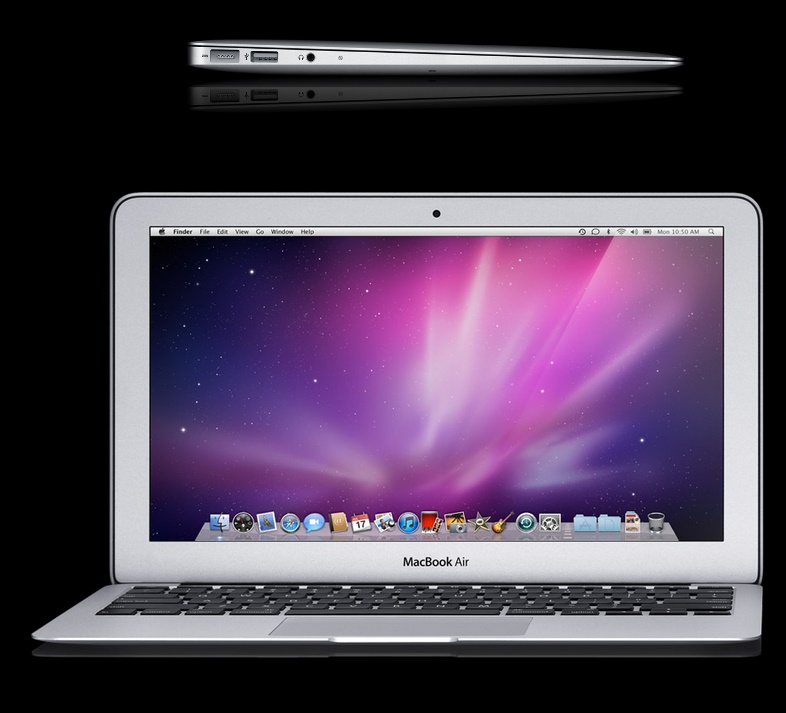
I’ve never been a big fan of laptop computers, although I’ve personally owned five of them since 1997, plus several Chromebooks. I much prefer Apple iPads for my portable computing needs, although just after buying my first of seven iPads back in 2010, I bought the first iteration of the MacBook Air. Its thin wedge design still wows me, but I used it very little while using my iPads on a daily basis.
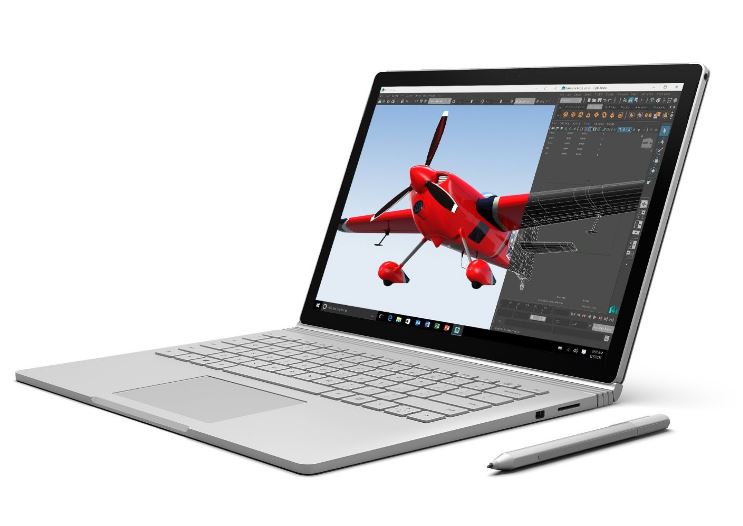
I bought my current laptop, a top-of-the-line Microsoft Surface Book, back in 2017 as I switched from teaching physics to leading the district’s technology efforts. I thought I might need it for my new position, but that didn’t really happen until the spring of 2020.
For the first five months of the COVID-19 pandemic, I used the Surface Book as my primary machine for many virtual meetings. However, I never got my money’s worth out of that $2,600 device, and I never made use of its stylus or found its detachable screen of much use.
When I stowed the big desktop computer away under the desk this month, I moved the Surface Book to a side table in case I need to use Windows at home before October 2025. I fired up that laptop to ensure it still worked and was up-to-date, and I discovered that I hadn’t booted it in a year-and-a-half.

Instead of that Windows laptop, for portable computing I have mainly relied on my Apple iPads as well as a Google Pixelbook Chromebook that I purchased in 2019. I purchased the Pixelbook because I was leading a districtwide shift from Microsoft to Google applications as part of implementing a 1:1 student computing initiative. If you want students to learn with Chromebooks, you first have to get teachers using them, so I ensured that every teacher had his or her own device, and I routinely used one at my various meetings.
One should lead by example, so I also made the deliberate choice to do my word processing with Google Docs instead of Microsoft Word or Corel WordPerfect. I’d been a loyal WordPerfect user since 1986, but it was past time to move on. I also began to use Google Sheets instead of Microsoft Excel for most spreadsheets, and Google Slides instead of Microsoft PowerPoint. I never liked PowerPoint, however, so that transition was delightful.
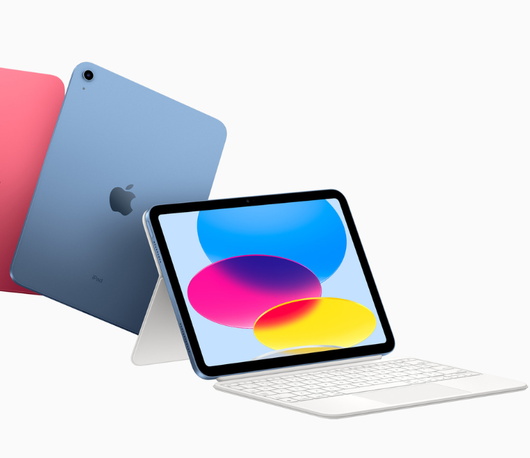
My nice Pixelbook will reach its own EOL in August 2027, and until I switched to using my Mac Mini as my primary home computer, I presumed I would replace it with another Chromebook. But by then I will be retired, and the Apple ecosystem brings many benefits. So when my Chromebook reaches EOL, I may try just using an iPad with a Magic Keyboard rather than investing my retirement money in another Chromebook. If the iPad just isn’t enough for my portable computing needs, I’ll consider another MacBook Air.
Embracing EOL
I’m already actively preparing for my career EOL. I’m logging my routines and significant daily activities as a potential guidebook for my successor(s) in leading the district’s technology and communications efforts. I’m steadily shifting and sharing digital assets so that my successor(s) can access and support them.
I also enrolled in the Leadership Bartlesville Class XXXIV. That Chamber of Commerce program has introduced me to about 30 other community members. Over the next eight months we’ll spend at least a day each month visiting and touring local enterprises to learn more about private companies, community nonprofits, city government, and local services. I’m among the oldest in our group, and I’ve been clear from the start that I’m learning more about Bartlesville programs so that I am aware of different ways I might participate in community life once my career in public education has concluded.







 Meador Manor