
Windows 10 support ends in mid-October 2025, and back in April 2024 I shifted from using a Windows home computer to an Apple Mac Mini. I didn’t make that decision lightly, since I’d used versions of Microsoft Windows for 40 years. I still use it at work, where we have migrated our desktop computers to Windows 11, but that will end upon my retirement in 2026.
Adjusting to my Mac Mini
I’ve now relied on a Mac Mini at home for over a year, and I’m content with that shift. It helped that I’ve used an iPhone since 2008 and iPads since they debuted in 2010, and I’ve worn an Apple Watch since 2018. Their various integrations with MacOS are handy. I can snap a photograph with the great camera on my iPhone, tweak its appearance using the larger touchscreen of my iPad, and then, if I want to use it in a blog post or compose a photo album on Facebook, it is already at hand in the Photos app on my Mac Mini.
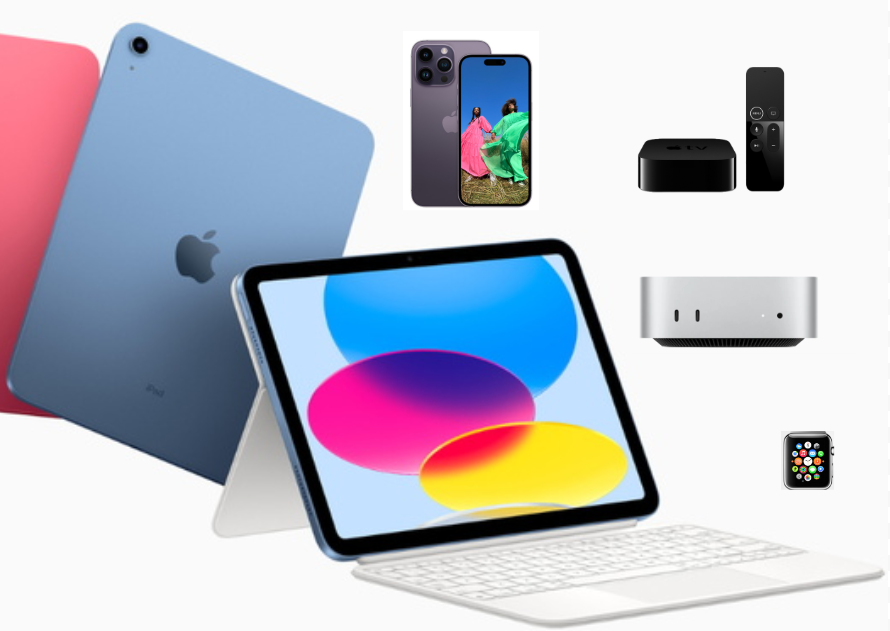
I can also quickly send items between those devices using AirDrop, and Continuity allows the devices to interact in various ways, including unlocking my Mac for me if I’m wearing the Watch. I especially like having access to Messages on the Mac for quick multifactor authentications.
I’ve also had four different Apple TV set-top boxes since 2007, and on weekday mornings I use my iPad to access aerobics videos stored on an external drive hooked up to my Mac Mini which I AirPlay to my old Apple TV, allowing me to easily work out to their playback on our big television screen.
Given that so much of what I do now involves online services, the most significant adjustment for me in my transition from Windows to the Mac has been in graphics management and editing. For 20 years I used ThumbsPlus Pro in Windows to view, organize, and perform basic adjustments to my graphics, firing up Photoshop Elements when I needed a healing tool or to perform a dodge or burn. However, Phillip Crews, who created ThumbsPlus, passed away in May 2024 right after I shifted to using a Mac at home. So it was timely for me to find an alternative.
I tried various MacOS graphics programs back in April 2024, and I’ve settled on using the Preview app on the Mac to view items and do a few basic edits, exporting items to the Photos app when I need to do finer work, including adjusting shadows, highlights, etc. and using its Clean Up and Retouch tools.
However, since I do most of the retouching of my own photos with my basic iPad, I don’t have access to retouch tools in its Photos app since Apple chose to only make them available on higher-end iPads. So I sometimes import photos into apps like Snapseed for retouches, and I use PhotoScanner Pro if I want to bring some life back to faded vintage photos.
I use Google Drawings, which I think of as Google Draw, when I want to assemble a collage or do more sophisticated annotations, since the Markup tools in Photos will do in a pinch but are generally cumbersome and imprecise. For decades I relied on DrawPerfect and its Corel Presentations replacement on Windows desktops, but I switched to Google’s free online tool years ago.
My Mac is crucial for my project of researching and sharing the history of our downtown buildings, which I am creating in Google Slides. I am continually referring to scans of old city business directories, vintage fire insurance maps, and other PDFs while incorporating online photos and my own shots taken on my iPhone 14 Pro while walking around a block on weekend mornings in the summer.
Mobile Computing
I’ve shared before how I’ve never been fond of laptop computers, despite owning five of them since 1997 and using Chromebooks since I started leading their implementation for students in our school district back in 2016. I don’t plan on replacing my Pixelbook when it reaches its end-of-life in August 2027. Instead, I hope to just use my iPad with its Magic Keyboard when I’m travelling.
The practicality of that approach will be bolstered as Apple brings more traditional interface features to my iPad this fall with iPadOS 26. They plan to implement overlapping resizable windows, including the familiar controls to close and minimize them.
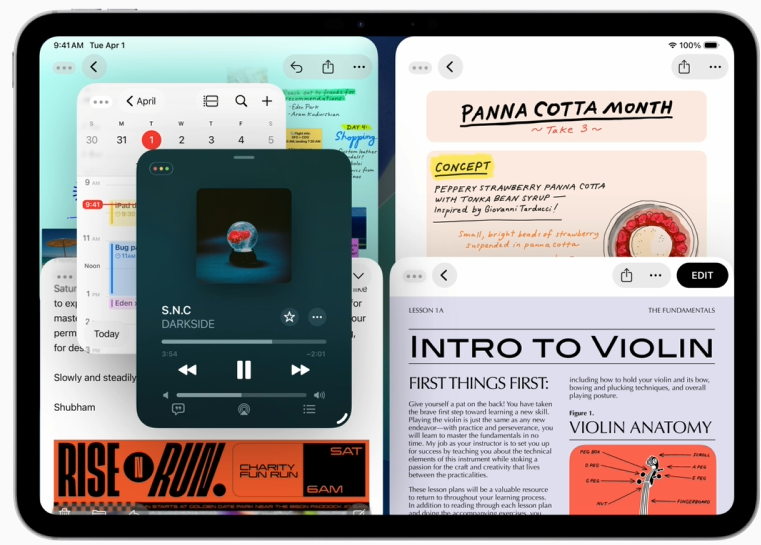
I have no use for Split View, let alone Slide Over. Their controls and gestures never became familiar to me, so I’m hoping that the new windowing system will draw more upon my decades of experience with desktop windows, making multitasking more feasible on the iPad.
Given the limited screen size, I might also make use of the addition of Exposé to the iPad, where your various active applications are selectable in a tiled representation.
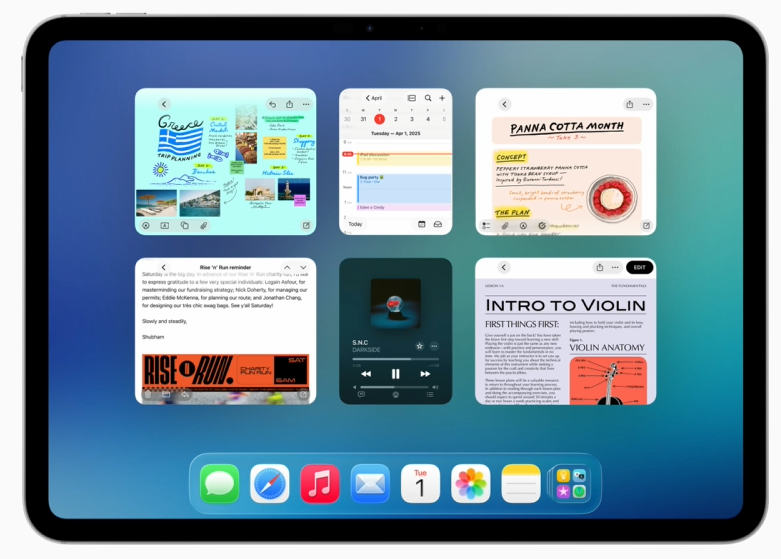
I’m often accidentally triggering Mission Control on my Mac, which I made a hot corner shortcut, so I just hope that they don’t make Exposé too easy to trigger on the iPad, and I’m wondering how it will determine which apps are “active” given that we’ve been trained not to “close” apps on the iPad.
They will also be adding app menu bars, which might reduce mystery meat navigation and expose more app features. However, one aspect of MacOS that I have had difficulty acclimatizing to is that its menu bar is always at the top of the screen, rather than at the top of a window as in Microsoft’s operating system, and on the iPad, you’ll have to either swipe down from the top of screen or move the cursor to the top to reveal it.
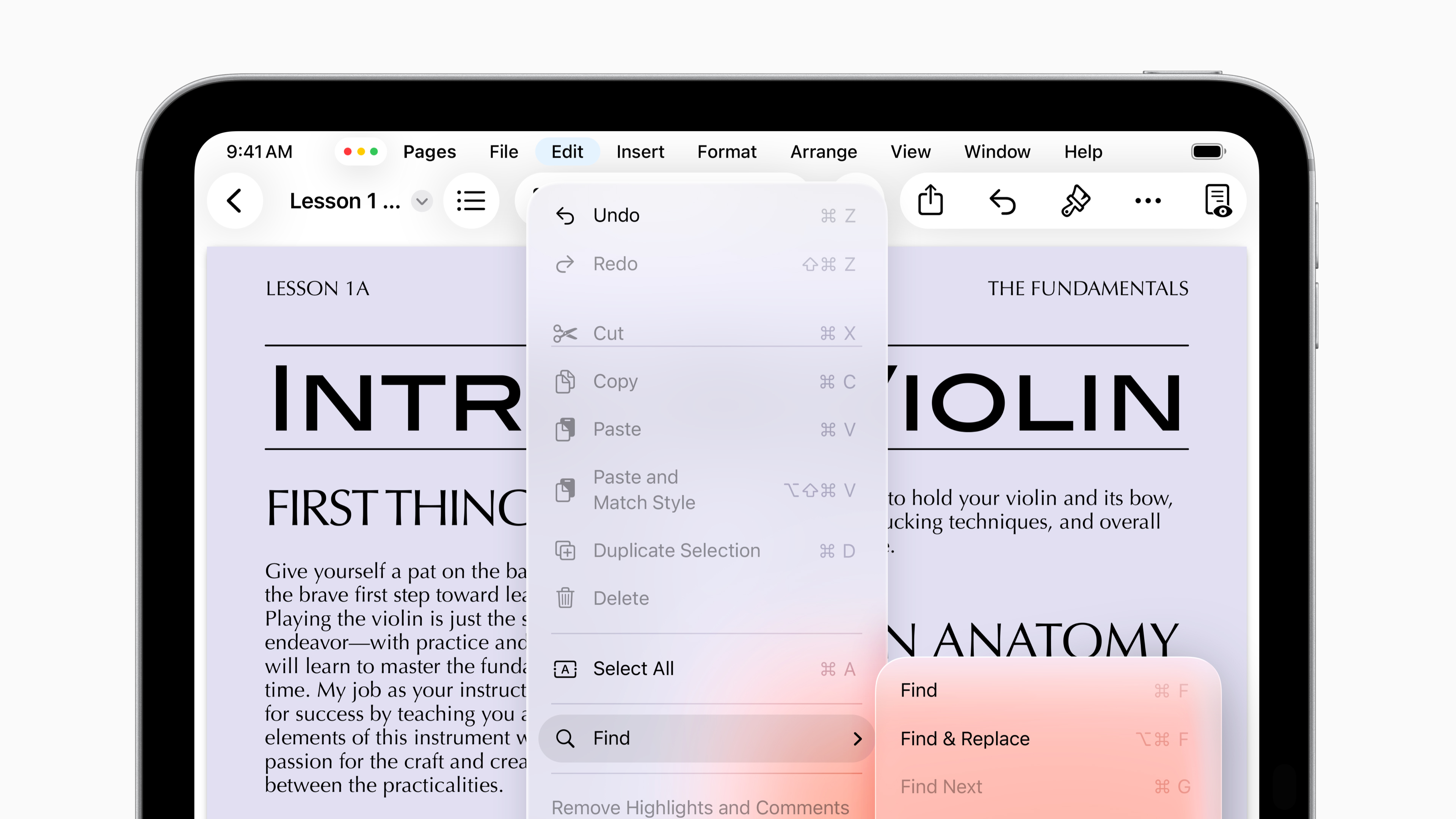
I was worried that Apple might shift MacOS to be more like its mobile operating systems, so it is a relief to see them shifting the other way, adding MacOS features to iPadOS. That could help me stay within their ecosystem for all of my computing hardware, at least for awhile.







 Meador Manor