In this final post about Oregon Trails 2009, I rate my accommodations and describe the tools I used to plan and execute this successful adventure. See my earlier 10 blog posts for daily descriptions of my journey about northwest Oregon.
Hotels and Motels
Here is my personal rating of the hotels and motels I used on this trip, with true daily cost, from best to worst:
 Fireside Motel in Yachats ($124.20; gorgeous location)
 Microtel in Seaside ($97.12; continental breakfast, convenient, and quite pleasant)
 Quality Inn in Bend ($120.99; continental breakfast, hot tub in the bathroom)
 Best Western Agate Beach Inn in Newport ($163.09; nice beach location, but hotel beginning to show some wear)
 Motel 6 in Lincoln City ($76.24; convenient and clean)
- North Portland Motel 6 ($67.49; lousy location, but nice room)
- Downtown Portland Motel 6 ($67.49; convenient location, decent room)
- Motel 6 at The Dalles ($68.66; shabby and a bit nasty)
All of the establishments provided free wi-fi, showing that even the budget motels have caught up with modern times. Note that my ratings don’t take into account in-room entertainment, since only once on the entire trip did I turn on a television. (Those who know me won’t be surprised at that.)
Planning the Trip
This trip was fairly easy to plan, since I’d been on a long loop through western Oregon in 2006 guided by the AAA TourBook and Oregon: An Explorer’s Guide by Mark Highberger. I consulted the latter a couple of times on this trip, but truly essential to this hiking-focused trip was the excellent Hiking the Oregon Coast
 by Lizann Dunegan.
Google searches turned up various sites to fill in details on some hikes, particularly the Eagle Creek hike along the Columbia River. I used Tripit.com to share my trip itinerary, including hotel and airplane info, with friends and family and for easy access from my iPhone. I also took along printouts of my reservations since technology can fail. I booked the plane tickets, car rental, and hotel rooms online ahead of time, sometimes using AAA’s website and other times going directly to a vendor’s website.
Executing the Trip
Restaurants
While on the road Yelp.com was a godsend for restaurant recommendations, and easily accessed with my iPhone as needed. Only one place I picked through Yelp didn’t meet expectations, while others were unexpectedly great, sometimes exceeding anything I’ve found back in Oklahoma.
Navigation
Trixie the GPS for navigation was of course instrumental to helping me go solo on this trip. I never consulted a paper map, and only in Bend did one recent road change cause consternation. I’m grateful that GPS units now have large touchscreens – they are much easier to use than my old Garmin Quest unit was.
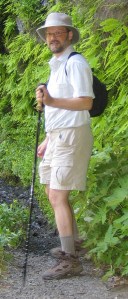
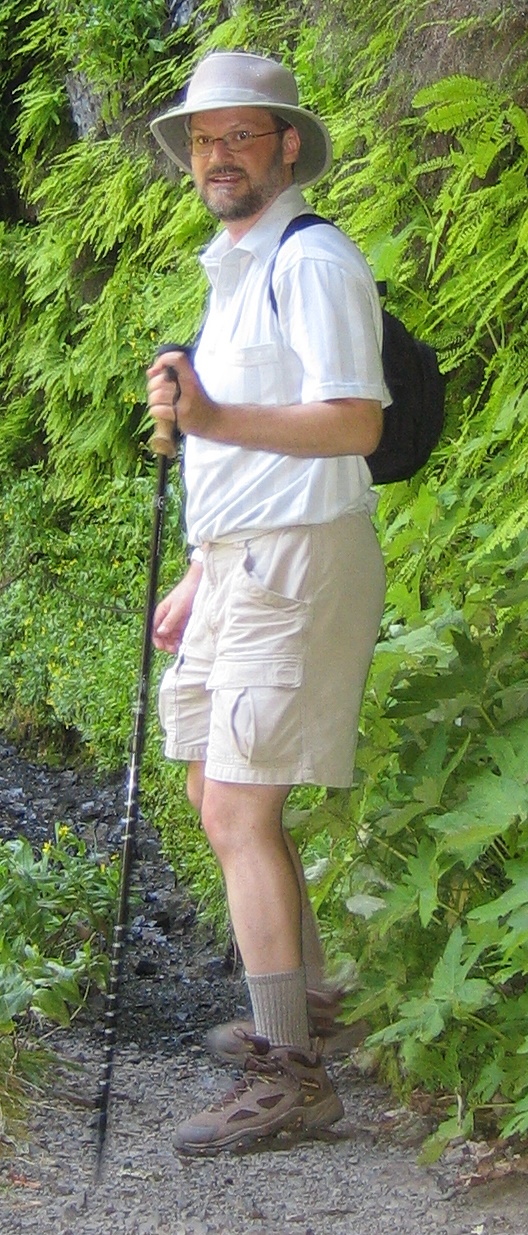
My dayhike attire: Tilley hat, small backpack, cargo shorts, trekking pole, hiking boots and socks.
Day Hikes
I don’t hike for more than seven hours at a stretch, so I use a tiny backpack that can hold three water bottles, trail snacks, hand cleanser, and my personal technology devices. I prefer cargo shorts since they provide easy access to the camera, iPod, and BluePack powerpack. Next time I might pack light cargo pants as well, since I missed those extra pockets when wearing jeans. I forgot to pack a first aid kit, although I never needed one.
This was the first trip I used Swiss Gear Lighted Hiking Pole, 2 Pack trekking poles, Columbia Sportswear Men’s Coretek WP Hiking Boot
 s, and Thorlo Men’s Coolmax Lt Hiker Crew Sock
 s. Given that I took three hikes of over 10 miles, sometimes on treacherous terrain, I was very glad to have all three this time out. Trekking poles that collapse are important to me, since I don’t use them all of the time. But they greatly improve your stability on rough terrain, allow you to use your arms to help propel you up a steep trail and cushion your knees when descending. The hiking shoes helped my feet hurt less on long hikes, although I was still grateful for my ibuprofen tablets on the trail when the aches set in. The light hiking socks seemed to help somewhat, but I don’t think they were cost effective given that I refuse to wear a pair longer than one day at a time and don’t like wasting time with a laundromat on a trip. And of course I wore my Tilley hat throughout the hikes.
Netbook and iPhone
For photo and video editing and uploading and blog posts I travelled with my ASUS Eee PC 1000H . I loved its small size and found it quite adequate. I uploaded all photos and video to my Flickr account, with a different set for each day, and then linked to those photos and the set’s slideshow in my WordPress blog posts. My Facebook account imports my WordPress blog posts and Brightkite and Audioboo post to my Facebook profiles. My FriendFeed and Twitter accounts draw in turn from my Facebook posts.
Tracking with Brightkite and Audioboo
I used my iPhone on the road to get information and post updates to Brightkite so loved ones could track my location through the day since it was a solo trip. Brightkite posts your position with a map and lets you include a brief note or photo if you like. The iPhone app crashed sometimes and was balky on the slow Edge network in most of Oregon – it still needs improvement, but it worked well enough. I used the Audioboo app a few time to post audio updates, but didn’t find it all that compelling.
Photography
This trip was all about photos, and I am still using my old Canon Powershot SD300 4MP Digital Elph Camera with 3x Optical Zoom (don’t buy it – that model is WAY out of date!) supplemented occasionally by my iPhone 3G. The PowerShot also takes adequate movie clips for my purposes. The old 4.0 megapixel camera has plenty of resolution since I’m mainly posting to the web and my living room Apple TV, and I greatly value its tiny size and ease of use over a big digital SLR. A larger camera with a big lens would allow for better zoom, depth-of-field effects, much better flash photography and would reduce low-light photography problems. But I don’t want to hassle with a big camera, particularly on day hikes, and I don’t really want to fiddle around with camera settings too much. I’d rather find something great to shoot, work out how best to compose the shot, git ‘er done and move on.
Learning While Travelling
On the trail, in the car, and on the plane I kept myself entertained with my Apple iPod nano 8 GB Black (2nd Generation) . I pre-loaded it with a variety of lectures from The Teaching Company and podcasts, liking to learn as I hike. I also threw in some relaxing songs for the trail.
GPS on the Trail
I tried using the GPS MotionX app on the iPhone on the trail, but it had trouble getting a consistent GPS signal and couldn’t download a map without cell service. So I really only made good use of it on a couple of the hikes. If you really want to hike with GPS, you need a more sensitive dedicated hiking unit.
Battery Life Issues
While the old iPod Nano had plenty of battery life, the iPhone is a power hog, especially when you are surfing the web and using its GPS unit. The very convenient solution was my Dexim BluePack S3 for iPhone/iPod, which was easy to charge up in the hotel room and could recharge the iPhone multiple times in a day if needed, as well as charge the iPod. It has cabling so you can charge the BluePack and also charge your other devices while only using one wall jack, a big plus in hotel rooms. The only drawback is there is no easy way to strap the BluePack onto the iPhone while charging it on the trail, so I just slipped them into a pocket side-by-side, sometimes linking them together with a rubber band. If you carry an iPhone on the road, the Dexim unit is highly recommended.
What I Did Not Use
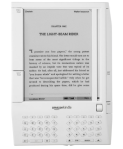
I didn’t have time to read much except during the plane flight. So I shouldn’t have bothered bringing my Kindle – the Kindle app on the iPhone would have sufficed. I also shouldn’t have bothered packing a car charger for the iPhone, since charging the Dexim BluePack each night meant I had plenty of power available during the day. I also had no use for my iPod/iPhone cassette adapter, since the rental car had an audio input jack.
This post concludes my 2009 Oregon Trails. In addition to the photos from this trip, Flickr has photos from my 2006 trip to Oregon and my trips to Seattle and Victoria, BC in 2005 and 2008.








 Meador Manor