Treasures from the Steamboat Arabia (click image for slideshow)
I spent the last half of Spring Break 2013 in Kansas City, but since it was bitterly cold throughout my stay and it snowed, I am calling it a Snow Break!
I again stayed at the Best Western Seville Plaza hotel at Country Club Plaza, and on my first full day in the city I drove a few miles downtown to revisit the Treasures of the Steamboat Arabia museum. I first visited this splendid attraction years ago and recalled that the Hawley family and some of their friends had excavated the 1850s steamboat from under farmland off the Missouri River.
The boat was full of cargo and passengers a few miles from Kansas City when it hit a snag and sank. All of the passengers and crew escaped, but the boat and its cargo sank into the river bottom. The Arabia was buried for over 130 years in conditions which helped preserve its tons of cargo as the river changed course over time. The Hawleys researched its location, found it using an advanced metal detector, and excavated the wreck, recovering tons of nearly pristine cargo.
I first visited this World War I memorial in 2010, but I had not photographed it at night when the “flame” atop the high tower is lit. The flame is actually steam lit by orange lights, and was de-activated by budget cuts in recent years. Happily fundraising has led to efficiency upgrades and it is back in operation.
The memorial’s huge lit tower and large adjacent sphinxes were impressive at night, as was the high view of Union Station from the memorial platform. I would return to this location the next day to revisit the impressive World War I museum located under the base of the tower. That day would bring the eponymous snow of this “spring” break.
March 13, 2013; THIS POST WAS FULLY UPDATED AND REVISED ON MARCH 28, 2013; UPDATED AGAIN 3/30/2013
Thanks for nothing!
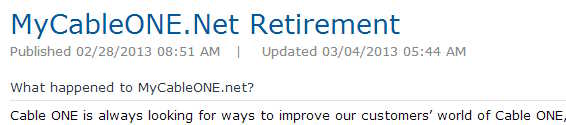
I had a most unwelcome email message from my internet service provider in mid-March. CableOne wrote to tell me that they were “retiring” the free personal web space service they have provided to me and other customers for many years. That meant that on April 10, 2013 my existing bartlesvillehistory.org and inquiryphysics.org websites would go dark. (Those links now redirect to the pages I created at awardspace.com and weebly.com to replace the defunct CableOne service.)
Same price, less service. Thanks for less than nothing, CableOne!
I shifted much of my personal web content from their service years ago when I began blogging regularly. I am already the creator of many websites outside of this blog, but most of them are school-related and hosted on the district’s web server. I cannot transfer my Bartlesville History or Inquiry Physics websites to that server, however, since the history site has no relationship to the district and the curriculum site is a personal and commercial page used to promote and sell my physics curriculum.
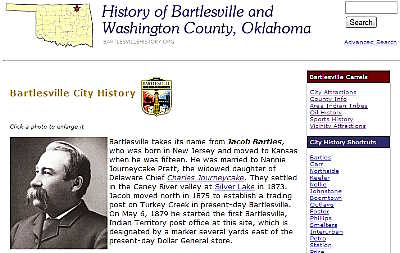
I tried recreating my Bartlesville History pages on wordpress.com, but it was too onerous a task with the limited formatting options and cumbersome navigation on this blogging service. So, acting upon a suggestion from former student Michael Graham, I switched them over to the free awardspace.com service. It was cumbersome and confusing, but I managed to create a new “bartlesvillehistory” subdomain on their “mywebcommunity.org” domain where I uploaded all of my existing pages and content. Then I switched over the forwarding mask at GoDaddy for my bartlesvillehistory.org domain.
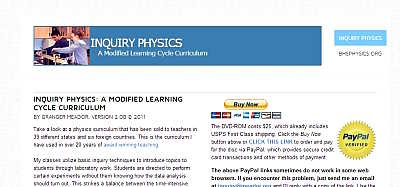
I tried doing the same for my curriculum sales page, but after a day or so the subdomain I created on awardspace’s “onlinewebshop.net” domain stopped working, generating 403 Forbidden errors. I filed a trouble ticket and awardspace revealed that you cannot use “PayPal” on their webpages. That took them out of the running.
My curriculum sales site
I didn’t want to use Google Sites for the curriculum sales page because I simply don’t trust Google anymore after they announced killing off two of my favorite services, iGoogle and Google Reader. So I opted to create my new Inquiry Physics curriculum sales pages on weebly.com at inquiryphysics.weebly.com. Those pages seem to be working okay thus far and were easy to create. I’ve now changed my forwarding mask for the inquiryphysics.org domain.
I’m tempted to eventually switch the entire high school physics website to weebly.com for easier maintenance, but I’ll have to explore its calendar service options. I gave up on using Google Calendar for my classes’ assignments calendars since that service doesn’t offer good live links support; that is why a couple of years back I switched to localendar.com for my class calendars. But I don’t know if localendar.com will prove compatible with weebly.com and having my class pages on the school district’s web server ensures they remain accessible to students through the heavily filtered school district internet service.
My local history site
3/30/2013 UPDATE:
Today I upgraded BARTLESVILLEHISTORY.ORG site by incorporating newly scanned larger images into the front page, making them expandable. I also reworked the front page and the links on all subpages so that I could change the forwarding mask. Now, when someone visits the site through the usual masking weblink, the subpages display without revealing the underlying web host. That should allow links visitors decide to bookmark to still work even after the site has to be ported to a new service. I’m trying to do my part to fight link rot. I can’t complain too much: it had been five years since I’d had to update some of the history pages, which is LONG time for the internet.
The shortest month brought me a cold this year, leaving me grumpy, tired, and out of sorts. But one thing which penetrates my gloom is an upbeat song with a driving beat, especially when it is offered up by a loved one who empathizes with its message. The song is anthemic with gospel influences.
OneRepublic has been around for a decade and hails from Colorado Springs, founded by Ryan Tedder and Zach Elkins. It once was reportedly the most successful unsigned band on the MySpace internet service and rose to prominence in 2006 with the song Apologize, although that song does little for me.
Feel Again was an early release in August 2012 ahead of their third album, Native. Proceeds from the song’s iTunes sales are going to Save the Children’s Every Beat Matters campaign to benefit health care workers in impoverished countries.
It’s been a long time coming since I’ve seen your face
I’ve been everywhere and back trying to replace
Everything that I’ve had till my feet went numb
Praying like a fool that’s been on the run
Heart still beating but it’s not working
It’s like a million dollar phone that you just can’t ring
I reach out trying to love but I feel nothing
Yeah, my heart is numb
But with you, I feel again
Yeah with you, I can feel again, yeah
(Woo hoo) I’m feeling better since you know me
I was a lonely soul but that’s the old me
It’s been a long time coming since I’ve seen your face
I’ve been everywhere and back trying to replace
Everything that I broke till my feet went numb
Praying like a fool who just shot a gun
Heart still beating but it’s not working
It’s like a hundred thousand voices that just can’t sing
I reached out trying to love but I feel nothing
Oh my heart is numb
But with you, I feel again
And with you, I can feel again
But with you (I’m feeling better since you know me)
I feel again (I was a lonely soul but that’s the old me)
Yeah with you (I’m feeling better since you know me)
I can feel again (I was a lonely soul)
Woo hoo (Woo hoo)
(I’m feeling better since you know me)
(I was a lonely soul, but that’s the old me)
(I’m feeling better since you know me)
(I was a lonely soul, but that’s the old me)
(I’m feeling better since you know me)
(I was a lonely soul, but that’s the old me)
I’m feeling better ever since you know me
I was a lonely soul but that’s the old me
A little wiser now from what you showed me
Yeah, I feel again, feel again woo hoo
I’ve given two community presentations recently about the history of the Bartlesville Public School District since 1950. In January I was with the Downtown Kiwanis Club and this past week the Arvest Friday Financial Forum, held each Friday at 10 a.m. at the Eastside Branch. You can now view my presentation as an online video.
Making the Video
I put the slides up on the web back in January using Microsoft’s SkyDrive service. Its online PowerPoint tool is actually quite good, although the stupid thing would not play back my slideshow when I saved the PowerPoint file to SkyDrive with fully embedded fonts, saying some were restricted, even though I’d downloaded them all free from the internet. Switching the Tools settings in the PowerPoint Save Dialog Box to only save used characters fixed that issue.
The slideshow is much better with narration, however, so this weekend I decided to invest the significant amount of time needed to add audio narration, background music, and convert the presentation into a video. I had purchased a Plantronics USB headset with microphone last year to record audio narration for the August 2012 bond issue video; using USB for sound recording in Windows is much easier than relying on the old analog line input on the computer.
I was displeased with the sound quality of the built-in sound recorder in PowerPoint, so I used Audacity to record audio narration, saving it as an MP3 file for each slide. That turned out to be a mistake; PowerPoint is not compatible with all of the MP3 format variants. Mind you, all of the MP3 files I created would import into PowerPoint and play within the program itself. It was when I told it to create a video that it balked (after trundling along for a very long time), saying several of them were in an incompatible format. Unclear instructions allowed me to try and convert them within PowerPoint for compatibility, but only some were converted and the remainder were reported as Unsupported.
Aaaaargh! PowerPoint has never handled imported audio and video well. All too often the files will not work at all, or work on one machine but not play on another. Even formats they claim to fully support don’t always work: witness the MP3 issues I encountered. I know there are oodles of video and audio codecs, but for goodness sake you would think PowerPoint could fully support MP3! Thankfully much patience and perseverance usually finds a work-around.
In this case I used the free Boxoft MP3 to WAV converter to rapidly convert the MP3 files into the old uncompressed WAV format which PowerPoint seems to use without fail. (Audacity will save to WAV, but it isn’t good for batch conversions.)
Then I had to delete the audio link for each slide and create a new one. If Microsoft had any intelligence, it would create a wizard that let’s you quickly attach a series of audio files to each slide in a show, pre-set to play automatically and hide the audio icon, and automatically set the time for each slide to match the length of each audio recording. But instead you have to add the audio file to each slide and then use multiple clicks to tell it to play the audio automatically on that slide and hide the audio icon. Then you have to look up the length of the audio file in seconds (I looked at each file in Windows Explorer to see that) and then use more clicks to go to Transitions and set each slide to auto-advance after the appropriate amount of time. It is SO STUPID to make me do this over and over when computers are ideally suited to such mindless automation. Maybe there is some way to automate some of this in PowerPoint, but if so, it is not obvious.
Since each set of slides covered a different decade, I wanted matching background music for each set. I didn’t want to break copyright, plus I run the risk of having my video yanked or its audio cut out if I post a video to YouTube with any copyrighted music. I have repeatedly made vacation videos in iMovie on my MacBook Air and uploaded them, only to have them flagged for copyright violations. Each time I’ve filed an appeal and won it since I was using the music built into iMovie, for which end users are fully licensed. But it is ridiculous to have to go to such lengths.
So I did web searches for “royalty free 50s music” and “public domain 50s music” and the like to find suitable background tunes from the likes of sounddogs.com and freepd.com. Then I used Audacity’s Amplify Effect to take those tracks down 20 to 30 decibels, edit them to the length I needed, and add a Fadeout Effect. I then saved the tracks as WAV files and imported them on the first PowerPoint slide for each decade, setting the audio file to “Play Over Slides” and going into the PowerPoint Animation Pane to tell it to “Start With Previous” so it would play simultaneously with that slide’s narration and then keep playing over the later slides. I also had to tweak the Animation Pane settings for overlay graphics and the like in some slides to ensure that my narration would integrate properly.
Once the whole thing was finished, I told PowerPoint to save it as a video. It trundled for over an hour and I then viewed the result. I made a few tweaks, including splicing in some new audio for one slide using Audacity, and then had it render the video again so I could upload it to YouTube.
The entire process took many hours, but admittedly is simpler than what I did back in 1995 with fellow physics teacher Lynne Shaw, creating a 35 mm slide show (a real slide show with actual slides in a Kodak carousel) with synchronized audiotape narration. Years ago I converted that presentation into PowerPoint and later made it into an online video. But if PowerPoint had a decent narration wizard, that would have saved me several hours of tedium.
I long ago gave up on the execrable Microsoft Word from ever becoming a decent word processor (long live WordPerfect!). And don’t get me started on how stupid Microsoft Excel is about not auto-updating charts to match added spreadsheet data. Now I’m wondering if PowerPoint is ever going to wise up. All of Microsoft’s Office products are both ubiquitous and mediocre. But I am glad that I was finally able to render the presentation in a more accessible and full-fledged format.








 Meador Manor

