Docks, Syncs, and Clips

Some of my docks...

I’ve spent more money than I wish to admit on docks for my iPods and iPhone.  Those portable media devices have to be plugged into a computer to sync them with iTunes and load them up with data, you have to charge them with the same cable via computer or a wall wart AC adapter, and if you want to send sound out to a stereo you have to plug in a mini audio jack.  And I hate how the cords tend to fall off the top of the computer or desk to the floor when you have them unplugged.  So I bought overly expensive docks, mostly from Apple but one third-party knockoff that sadly seems a tad unreliable, to keep all of the cables in place and hold the devices upright for easy viewing.

But this docking-to-sync business seems silly when we have home WiFi and Bluetooth – charging by cable is far more efficient than wireless inductive charging, but why in the world should I need a USB cable to sync my iPhone when it is a mobile internet access device?  Microsoft’s Zune media players have had wireless sync for several years, but Apple has yet to catch up with its own far more popular devices.

Recently I purchased an iPad and, sure enough, it needs to plug into the computer to sync.  And worse, its power needs are too large for most USB ports so it has to be regularly plugged into a wall jack.  Now Apple has truly annoyed me – I have to plug the iPad into the computer via USB to sync, but then it can’t charge.  And so I have to plug it into a wall charger, but then it can’t sync.  And people say Apple’s products are easy to use!

So I bought an iPad dock for my living room where I also keep my iPhone charging dock.  I have the wall wart chargers in there so I can leave the iPhone or iPad on top of my stereo cabinet for charging overnight and also send the iPhone or iPad’s audio and video signals into my entertainment system. I have a remote for the iPhone’s so-called “universal” dock which lets me control its playback from across the room – that’s handy since I listen to podcasts on it while exercising each morning.

The iPad dock lets it serve as digital photo frame

The iPad dock promised to also hold the iPad upright for use as a neat digital photo frame.  Sadly, like the iPhone the iPad’s video out is restricted to certain video sources, so I can’t use it to surf the internet on my HDTV nor watch Netflix streaming movies that way.   So I’ll use the iPad itself for surfing and continue to rely upon my Apple TV and my Tivo for online movies from Netflix, Amazon, and Apple.

And the iPad dock is a further disappointment since Apple’s vaunted industrial design has never extended to making its docks compatible with protective carrying cases.  I keep my iPad in an Apple carrying case I purchased to protect it as it carry it around the house and out into the world.  That case is necessarily a tight fit for the iPad – you don’t want it slipping out and crashing to the floor by accident.  And while there are holes in the case so you can plug in the various cables, the dock is too tight a fit for the iPad to fit into it while inside Apple’s own case.

So I won’t be using that $30 iPad dock very much, which leaves the problem of those darn cables and how they tend to slip to the floor.  The other day on Wired’s Gadget blog I stumbled across a simple, cheap, and effective solution.  Just put a binder clip on the edge of your desk or stereo cabinet and it will keep the cables from slipping to the floor:

Using binder clips to hold those computer cables

One clever hacker even devised a full iPhone dock using binder clips:

So my advice is to only purchase an Apple iPad dock if you don’t plan to also use their carrying case, and only buy Apple’s “universal” dock for your iPhone or iPod if you plan to make use of its remote control capabilities.  And let us hope that eventually they adopt wireless synchronization…if only Steve Jobs hated cables as much as he hates buttons and ports.


Posted in technology | Leave a comment

A Pink Martini in Fort Worth

Bass Performance Hall

Click image for a slideshow

This weekend I made a quick trip to Fort Worth, Texas to see my favorite group, Pink Martini, perform with the Fort Worth Symphony Orchestra at the Bass Performance Hall, repeating a trip I made for the same purpose a few years ago.  I dislike most crowds, but I absolutely love seeing Pink Martini perform live.

I left Bartlesville early Saturday morning, but this time took the unanimous advice from Google Maps, my V7 GPS, and my iPhone TomTom GPS application to not follow US 75 all the way down to the Dallas area.  Instead I stuck with the interstates, taking I-44 and I-35.  I was hungry by 11 am and had reached Ardmore.  There, as I’ve seen in other small towns, more hotels and restaurants have built up along the interstate frontage road.  So I grabbed a burger at the local Interurban franchise and then, after zipping by the big WinStar casino on the Oklahoma side of the border, I dropped in at the Texas Travel Information Center at Gainesville to grab a new state map and with my iPhone take a snap of an Asian tourist at the state’s granite marker.

I was disappointed to see that Fort Worth still hasn’t dealt with its highway congestion, as I-35W was backed up as usual and it took awhile to navigate over to the Cultural District.  This area of Fort Worth has some great architecture, including Philip Johnson’s Amon Carter Museum, Louis Kahn’s Kimbell Art Museum, Wyatt C. Hedrick’s Will Rogers Memorial Center in the Moderne style, and Tadeo Ando’s Modern Art Museum.

I found the big parking lots at the Will Rogers Memorial Center were packed because of a Showstopper regional dance competition and a DeafNation Expo.  So I parked south of Harley Street and trekked several blocks north, past the National Cowgirls Hall of Fame and its great wall mural, towards the Amon Carter Museum on Camp Bowie Boulevard.  It was 80 degrees and full sun, so I was grateful for some air conditioning when I arrived.

For me the highlights at the Carter Museum were several watercolors by Edward Hopper and the beautiful bronze bookends Paul Manship cast in 1914, Indian Hunter and Pronghorn Antelope, in which he utilized the archaic Greek style.  I also liked some of the 1930s-era photography on display and Edward Curtis’s photography of Native Americans.  The museum also has some Remington and Russell western artworks, but I’ve seen oodles of them at Tulsa’s Gilcrease and Oklahoma City’s National Cowboy & Western Heritage Museum (still the Cowboy Hall of Fame to me).

Exiting the museum, I strode past the impressive tower of the Will Rogers Memorial Center along the shady sidewalk past the Kimbell Art Museum.  I’ve seen great shows at the Kimbell before, including a memorable one of Egyptian art, but since they were between special exhibitions at the moment I strode onward to the Modern Art Museum.  I’d already seen the museum’s permanent collection on a previous visit, and the Andy Warhol special exhibit left me cold, but the building’s exterior architecture and sculptures were delightful on this sunny afternoon.

The museum’s front is dominated by the immense steel Vortex by Richard Serra.  I find many of his giant-steel-plate artworks cold and intimidating, but Vortex is fun.  Its 2-inch-thick Cor-Ten steel slabs are each ten feet wide and sixty-seven feet tall, being twisted into a 230-ton sculpture with a 10-foot-wide oculis at the top.  Adults and children delight in its sonic effects.  I used my iPhone to record a pair of little girls who were having fun in there clapping their hands and howling.  Thankfully the recording ended before one put her hands up to her mouth and made a farting sound that truly reverberated!  Later, as I left the museum, I was photographing inside Vortex when a family with three youngsters quietly entered.  So I stomped one of my cowboy boots (always wear your boots in Ft. Worth!) so they would hear the incredible echo and start their own sonic fun-and-games.

The last time I was at the Modern Art Museum the exterior pool across its north side was drained.  So I was happy to find it filled this time, providing the striking illusion of a building floating on water.  Looking out in the bright afternoon sun I spied a couple near Roxy Paine’s Conjoined, two stainless steel trees intertwining on the north edge of the grounds.  That inspired me to troop over there later for shots from a distance and closer in, including an angle where the trees reminded me of two wizards engaged in a lightning battle.

By then it was getting late in the afternoon, so I strode over to the grassy shaded oasis west of the Kimbell to shoot one strolling sculpture and then hoofed it over to the Will Rogers Center where I found Electra Waggoner Bigg’s life-size sculpture of Will riding Soapsuds, Into the Sunset.  She did a great job capturing them both.

I returned to my car and drove to the Microtel, impressed that my TomTom GPS app on the iPhone recognized a traffic jam on I-820 and automatically rerouted me on a frontage road detour that saved me a lot of time.  (Later that night I travelled the same route and the TomTom app took me along the interstate since the traffic jam had evaporated.)  That convinced me to rely solely on the TomTom app on the drive home the next day – I packed away the V7 GPS unit and probably won’t use it much on trips anymore.  The TomTom app is far better at quickly locating points of interest, uses real-time traffic data, and has a nice lane guidance system.  I just wish TomTom would let me flick the map around with my finger to explore off to the sides, rather than only allowing me to zoom or shrink the map while keeping my location locked in at the same point on the screen.

Downtown I parked near Bass Hall and followed a smartly dressed group to Ferré for dinner.  I had a delicious halibut and tasty dessert, although the meal cost almost as much as my concert ticket!  I killed some time reading a magazine at the nearby Barnes and Noble, which features a two-story bronco rider sculpture.  Then I harked the heralds at the Bass Performing Hall and found my fourth-row seat offering a great view of the stage for another splendid Pink Martini performance.

They treated me to a live performance of my favorite new song of theirs, Splendor in the Grass, and I was delighted to hear their live rendition of The Flying Squirrel as well.  The encore closed the show with Brazil and this time I was sure to join the conga line.  We danced right out of the hall, so I was one of the first to make it to the parking garage, where I encountered members of the Fort Worth Symphony Orchestra I’d heard moments earlier, now rushing with their instruments to their cars before the parking garage jammed up.

It was a great short stay in Fort Worth and a welcome break from the stress of school budgets and the like for this teetotaler who loves his Pink Martini.

Click here for a slideshow from this day

Posted in art, music, photos, technology, travel | Leave a comment

Spring in the Osage Hills

Green Snake on the Pathfinder

Click image for a slideshow

I spent part of a warm April weekend outside with my camera on the Pathfinder Parkway and at Osage Hills State Park, taking primarily macro shots of the tiny blooms of spring here in northeast Oklahoma.  But the animal kingdom was not neglected as I trod a bit on the Pathfinder and the next day hiked all of the state park’s hiking trails as well as the red bike trail.

Photo slideshow

Posted in day hike, photos | Leave a comment

Using AAC on my iPhone

Most of my over 350 audio CDs were ripped years ago into 128 kbps MP3 format. While my ears don’t easily detect the shortcomings of that format, for archival purposes I recently spent untold hours redoing them all into 256 kbps VBR MP3 format in iTunes. That’s twice the base bit rate, plus a variable rate beyond that to help preserve more complex sound forms. Unfortunately that meant my 16 GB iPhone 3G couldn’t hold nearly as much music since each track took up far more room. But an online tip helped me solve that problem.

AAC option for iPhones

Set this option to save space on your iPhone

On the iPhone’s summary screen in iTunes there is the helpful option “Convert higher bit rate songs to 128 kbps AAC” which used to only apply to iPod shuffles. Unless you have golden ears you won’t hear any difference on your iPhone, but this saves a lot of space and lets you pack in more music. You still hear the higher bit rate versions of the songs on your computer and, if you have an Apple TV like I do, on your home stereo.

AAC is the successor to MP3, offering better sound at the same bit rate. It’s the format your iTunes Store purchases come in. And while it isn’t as widely supported as MP3, it is great for this purpose.

Posted in music, technology | Leave a comment

My iTravel Travails

Six years ago I bought my first iPod and embarked into the sometimes frustrating world of iPod and iPhone travel accessories.  I’ll spare you the details of the various docks I’ve bought over the years – here my tale is of successes and failures as I struggled to carry, charge, and listen to my toys on the road and trail.


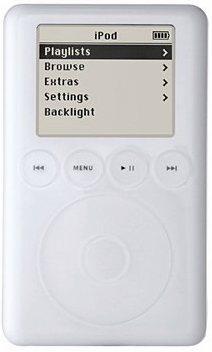
Traveling with my 2004 iPod, a 3rd-generation 40 GB model

image

This $500 contraption, with its tiny hard drive and touch wheel, was a revelation. I ripped all of my CD collection onto it and was delighted to be able to dump my extensive hand-made collection of audio cassette tapes recorded from CDs and old vinyl albums and singles.  I bought a belt case, a couple of home docking stations for syncing and charging, and then faced the issue of how to listen to it and charge it in my car and when out hiking.

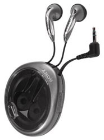
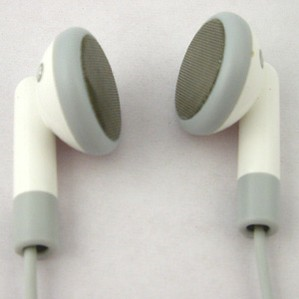
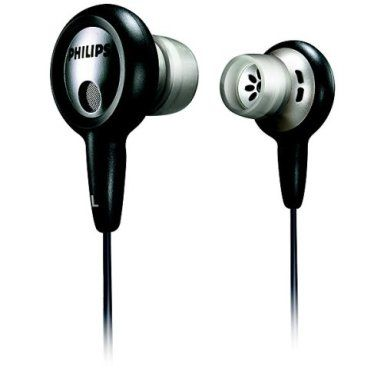
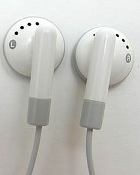
I intensely disliked the Apple earbuds that came with my first iPod, so I bought others from Sony and then Phillips.  Having any of them in my ear for a few hours was painful, although using smaller nubs on the Phillips Surround Sound ones helped.
image image
image
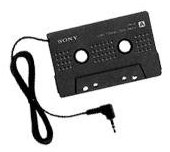
My 2001 Toyota Camry has a radio, CD player, and cassette player, but no line-in port.  So I bought an $11 Sony SPC-9C cassette adapter, which worked well for years, taking the iPod’s audio out and transmuting it for the car’s cassette player.  That combination was a winner, despite the occasional mechanical clicking from the adapter and the high-band hiss in the speakers. image
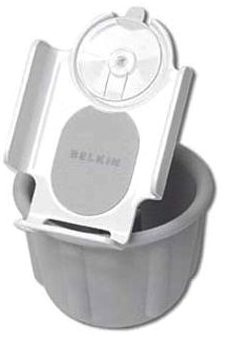
I mounted the iPod in an $18 Belkin TuneDok iPod Cupholder F83467, which rested in the central dash cupholder for convenient access to the iPod.  This was another winner. image
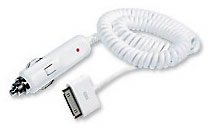
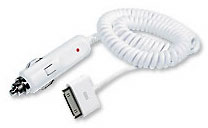
Then I bought the $20 XtremeMac Car Charger T7957LL/A so I could charge the unit back up. image
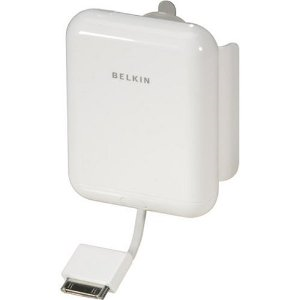
On a plane and on long hikes I found I sometimes needed more battery life than the internal one could provide, and of course Apple never made iPod or iPhone batteries swappable.  So my first portable power unit was a bulky $60 Belkin Backup Battery Pack which could carry 4 rechargeable AA cells and would stick onto the iPod with suction cups. image
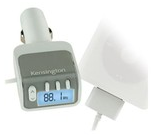
All of that kept my beloved iPod working fine for me until I travelled by air and had to rent a car.  What if it lacked a cassette player?  So I bought my first FM transmitter, a Kensington K33185.  It put out a strong signal, but on the coast I often ran into interference from the many overlapping radio stations.  At home, I always preferred the cassette adapter. image
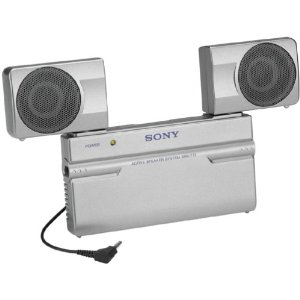
And how about listening to my iPod around the house or hotel room without earphones?  The Apple TV didn’t exist yet, so I bought a $55 Sony SRS-T77 stereo travel speaker.  It gave adequate sound and had a power adapter you could plug into the wall although I always preferred plopping four rechargeable AA cells into it.  Its design of fold-out stereo speakers and a unit kickstand was cumbersome but usable. image

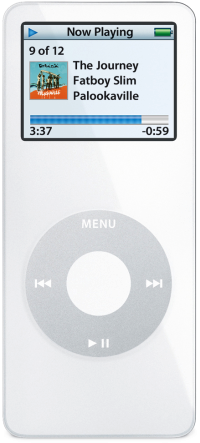
Traveling with my 2005 iPod Nano, a 1st-generation 4 GB model

image

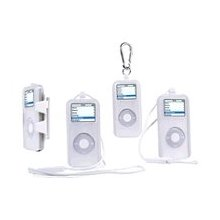
imageMy original hard-drive based iPod died a bit over a year after its purchase – I had it repaired, but it died again about a year after that.  So in 2005 I spent $244 for this sleek slim player, which was far less cumbersome than my original iPod and, more importantly to me, was solid-state.  The Nano worked with all of my accessories, though it was a poor fit in both Belkin’s cupholder and their Battery Pack.  Its ear buds were again not a big hit for me, so I often used my Phillips ones.

imageThe Nano scratched incredibly easily, so easily that five years later a class action lawsuit about it would yield me $38 back.  So in the long run I suppose I got my $27 Speck Connect+Protect Case for free.  I didn’t use all of its features, but it did protect the Nano and allowed me to carry it on my belt or around my neck.

Sadly, this unit began malfunctioning after only 15 months despite its solid-state construction.  Time for another upgrade…


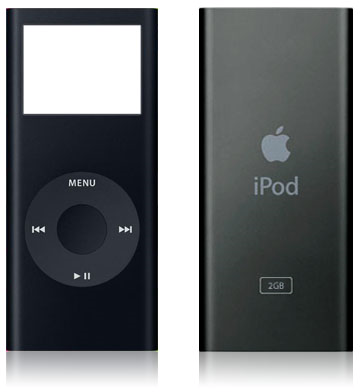
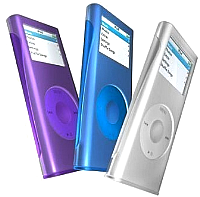
Traveling with my 2007 iPod Nano, a 2nd-generation 8 GB model

image

Having learned my lesson, I thought, about MP3 player durability, when I spent $250 on the newer Nano, I also bought an expensive AppleCare protection plan.  Well, I suppose that worked since this Nano has never needed any repairs. 😉

image This was my best iPod until I bought my iPhone 3G in 2008, which rapidly superseded this unit.  I later swapped my 8 GB black unit for a friend’s 4 GB red unit since she needed more room for her music and by then I was only using the Nano as a backup unit for audiobooks, podcasts, and a few tunes for air travel and hiking.

I once protected the unit with an iSkin, which also allowed for a belt clip and lanyard, but now I just carry the bare unit in my hiking backpack for emergency use.

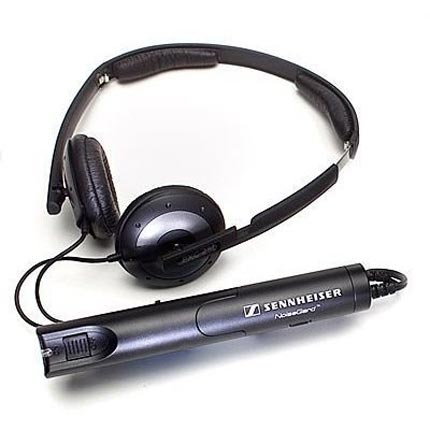
image After a miserable flight sitting by the rear engines of an MD-80, I decided to invest in a $105 pair of Sennheiser PXC 250 Active Noise Canceling Headphones.  They dim out the engine roar and air noise, but do not offer the sound isolation you get with tight canal ear buds, and the bulky power/signal processing pack is annoying.

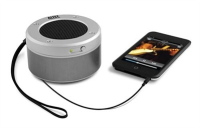
While my Apple TV is great for watching and listening at home, sometimes I want to listen to something on my iPod or iPhone or netbook (which has lousy speakers) without using headphones or earbuds, especially when I’m at a hotel.  I used to use the above Sony SRS-T77, but it is a bit bulky for travel and depletes its 4 AA rechargeables after a couple of hours.  So I bought the $31 Altec Lansing iM-237 Orbit Ultraportable Speaker.  It is very compact, has great sound quality, and runs for hours and hours on a few rechargeable AAA cells – highly recommended!

Traveling with my 2008 iPhone 3G, a 16 GB 2nd-generation model

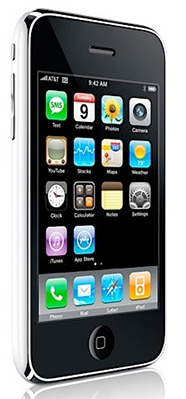
image The best tech toy of my life has been the $300 (plus contract charges!) iPhone 3G.  This portable little GPS/computer/internet device/music player has been a joy for travel.  However, many of my old iPod accessories were not compatible with the iPhone 3G, so I had to find new ways to carry, charge, and listen to it.  I’ve had mixed results this time around.

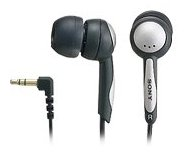
I finally liked Apple’s latest ear buds, which are comfortable for me for long periods and don’t block out ambient sounds when I’m hiking.  If I want to listen to music and not hear ambient sound, I use my Sony MDR-EX51LP Fontopia ear buds that fit far more tightly for better sound.image image
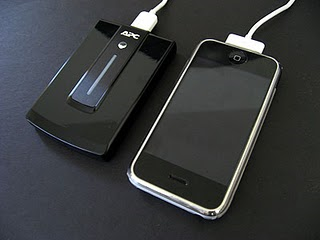
Using the iPhone’s GPS unit to track my hikes while listening to the iPod rapidly drains the battery.  So I needed portable power, and the old Belkin Battery Pack wouldn’t do it.  My first attempt was a $30 APC UPB10 Mobile Power Pack, but it didn’t work reliably with the iPhone.  It may have been a bad USB-to-iPhone cable that was the culprit. image
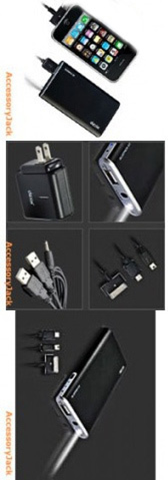
My next choice was better but pricey: the DEXIM BluePack.  My $90 S3 version has a wall charger with two USB plugs and various cables so you can recharge the iPhone or a variety of USB devices, or its own sleek battery, which includes a built-in flashlight.  I can recharge my iPhone3G more than once with this little gadget and I always carry the charged battery pack with me on day hikes and take the whole thing with me on overnight trips.  For awhile it wouldn’t recharge the iPhone, but I tracked that problem down to a bad USB-to-iPhone cable I’d carried over from another unit. image
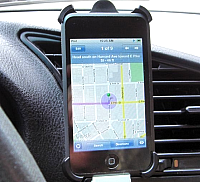
My old Belkin TuneDok Cupholder didn’t fit my iPhone, so eventually I bought a $16 DLO Ventmount.  It has claws that latch onto the louvers of a dashboard vent and holds the iPhone in a convenient position for operation, tilts 90 degrees when needed, and even has a removable piece for use with a belt clip, although I never use that feature. image
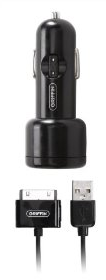
As for recharging the iPhone in the car, I’ve used Griffin’s $20 PowerJolt for iPhone and that worked fine until my cassette adapter starting giving me trouble.  A different adapter did not help – it appears the car’s cassette mechanism is worn out.  So I needed to use an FM transmitter – I still had the old Kensington K33185, but I wanted to be able to charge the iPhone and listen at the same time.  And that has been a tale of woe. image
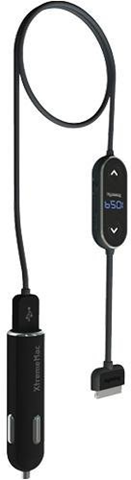
My first attempt at a combination FM transmitter and charger was the $58 XTREMEMAC 01998 InCharge FM.  It was dead on arrival – it wouldn’t send out any signal and kept generating error messages on the iPhone.  So I sent it back for a refund. NOT RECOMMENDED image
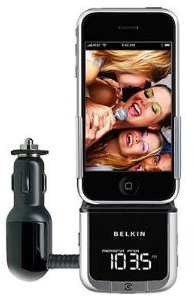
My next attempt was a used Belkin TuneBase FM, which I bought for $65.  It has also been a disappointment.  Although it does charge the iPhone (but with frequent drop-outs), its FM signal is ludicrously weak.  I’ve tried all sorts of settings and stations to little avail.  This is frustrating since I like my TomTom GPS app, but using it drains the battery so fast it isn’t practical unless I can both recharge and listen simultaneously. NOT RECOMMENDED image
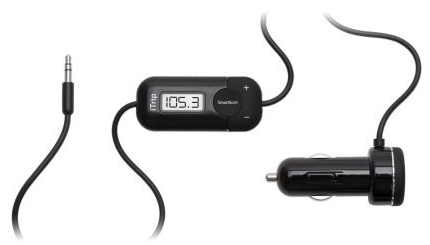
So my latest attempt to solve the problem is the $30 Griffin iTrip Universal Plus.  It has a passthrough USB charging port and plugs into the iPhone’s audio jack.  I like how this means it can work with various audio devices in the car, and so far it seems to be working okay. image
In late April I should receive my 64 GB WiFi + 3G iPad and I’ve already ordered Apple’s case, dock, and camera connection kit for it.  Yet more additions to my growing collection of Apple iPod/iPhone/iPad accessories…

Posted in technology, travel | 1 Comment