
My iPad is now part of my daily routine
Regular readers know that I have sold off a slew of old media to raise the funds for a new iPad with 64 GB of storage and both 3G and WiFi connections. I’ve had the iPad for two weeks now and am ready to report on the experience.
Music? No.
To ensure I didn’t shortchange myself on its eventual uses, I paid for the top-of-the line model, maxing out the memory. And I’ve filled up more than half of it with music, podcasts, a few photos, and apps. But the vast majority of that space was for music and I have almost never played any music on it. The built-in speakers are pretty good for their size, giving far better sound than the built-in speakers on my ASUS Eee PC 1000H netbook. But I prefer to listen to my music with my iPhone 3G on the road and on the Apple TV around the house. However, I have listened to audio podcasts on the iPad and watched both video podcasts as well as one Netflix streaming movie on it.
Audio/video podcasts and streaming movies? Yes.
 Video podcasts and streaming movies make sense on the iPad when I don’t want to be tethered to the couch to watch them on my HDTV via the Apple TV or the Tivo. I can start one while lounging in the living room, keep it playing when I’m doing some spreadsheets or word processing in my home office, have it going in the kitchen when I’m pretending to cook, and even take it to bed with me to cap off a late night. The Netflix streaming is great, and I enjoyed catching highlights of Betty White’s recent appearance on Saturday Night Live via NBC.com.
Photos
 Photos look great and make fun manual or automatic slideshows on the iPad, and they really don’t take up much room compared to video files. It is fun to open the photos app and hand the iPad over to a friend who can then browse through the pictures in a very intuitive fashion.
One of the most interesting apps I’ve installed is Camera for iPad, which lets you link your iPhone’s built-in camera via Bluetooth to the camera-less iPad. You can see the camera’s output in real time on the large iPad screen and even use the iPad as a “flash” to better illuminate the scene if you like. I was pleasantly surprised that it took a great snapshot of some friends at a diner, even though my iPhone 3G’s camera is pretty lousy. I’ll be upgrading to the expected new iPhone 4G/HD in late July when my current two-year contract expires. It will have a much better camera and it will be interesting to see how much I use it for shots which I can then edit and post via the iPad.
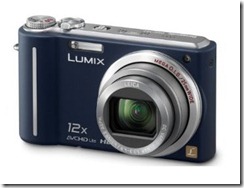
Speaking of photos, I bought Apple’s $30 Camera Connection Kit for the iPad, a dongle which lets you plug in SD cards and USB camera links. I haven’t even tested it yet, since I prefer using my desktop for photo editing and posting at home. On an extended road trip I expect I’ll still use my netbook for those purposes. But I will have the option of importing photos from my Panasonic Lumix camera into the iPad for editing and posting if I can locate a really good photo editing app. Reports are that the Camera Connection Kit also lets you plug a USB keyboard and use it with the iPad, but the on-screen keyboard has been good enough for me so far. If I start composing blog posts on the iPad, however, I’ll likely give the USB keyboard option a try.
Bigger Better Apps
Many apps are better on the iPad
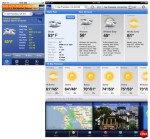
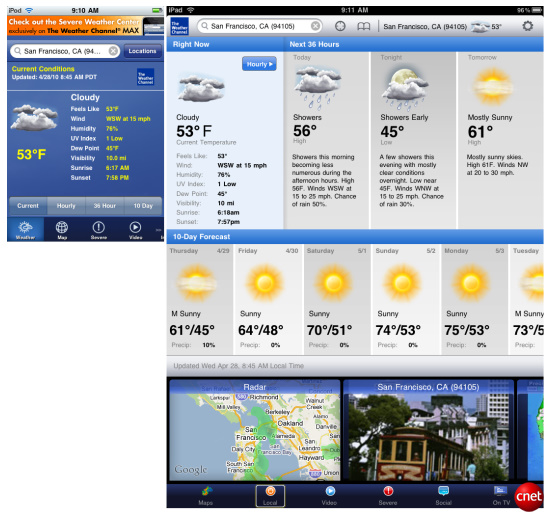
Many of my iPhone apps have been updated for use on the iPad and they are almost always better on the bigger screen, even if they cost more. The built-in email and calendar apps are much more useful on the iPad than on the iPhone, keeping my appointments at my fingertips and making it easy to not only read but also respond to messages with the larger on-screen keyboard. (Although I do make more uncorrected typos on the iPad than on my desktop or netbook with their hardware keyboards.) The Weather Channel’s iPad app is another great improvement. Having become accustomed to the landscape mode on the large iPad screen, I am disconcerted when I don’t have it and instead resort to the tiny screen on the iPhone with its many portrait-only apps.
Newspaper Killer
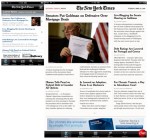 My favorite use of the iPad is reading online newspapers and web articles I’ve saved with Instapaper. The New York Times has an Editor’s Choice iPad app that has a great selection of top stores in different categories. I love finger-swiping through them on its Home and Technology pages, tapping a story to read it and swiping right-to-left to read more of it. USA Today also has a good iPad app, although you swipe vertically to read more of a story, while swiping left and right takes you from one story to another. And I like reading the Tulsa World in regular webpage mode on my iPad with its Safari browser, although I worry about the World and hope they can get an economic model that keeps them afloat – I’m no longer a subscriber but still get all of their great content, and I doubt their online ad revenues are making up the difference. My local Examiner-Enterprise paper can also be viewed in story form or in full-page mode on the iPad, although the Examiner’s E-Edition PDF mode has poor navigation where you have to manually load in another page to read longer articles. Finally, I also catch up on the local radio station’s newsbrief in the iPad browser.
Occasionally I’ll scroll through the print/audio stories on NPR’s great iPad app, but I’ve been terribly disappointed, again, by AP News, another lousy app from the folks who brought us AP Mobile. The post on the Unofficial Apple Weblog about AP News says it all better than I can.
Eventually economics may force my favorite news sources to hide behind paywalls and subscriptions. And I’ll gladly pay those fees if they keep them cheap enough. But since I am only skimming a few key articles each day, I have no intention of paying the equivalent of a full newspaper subscription just to access them on the iPad. Eventually I might have to resort to free news aggregators, but I sure hope not.
E-Reader
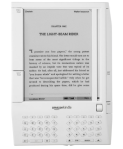
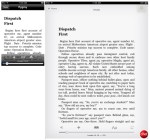 The question those who know me best ask me ask about the iPad is how I like reading books on it. They know I’ve been a big fan of the Kindle, having used for the past two years a Kindle 1 and then a Kindle 2. In fact, my initial review of the Kindle 2 is by far the most popular post on my blog. Naturally I’ve installed the Kindle app on the iPad, and I’ve also purchased and read books using the built-in iBooks app.
The most important thing for me when reading long-form articles or a novel on the iPad is to turn down the screen brightness. I like it set really low so that it minimizes eyestrain, and in that mode I can read for quite awhile. I also wish Apple’s iBooks had a sepia background like the Kindle app offers. Happily, the wonderful Instapaper app makes reading saved web articles on the iPad just like reading an e-book.
As many other reviewers have noted, the iPad is considerably bigger and heavier than the Kindle 2, and I find myself propping the iPad up in its case for reading. I know I’m not reading my novels for as long at each sitting on the iPad as I did on the Kindle. In part that might be the screen and the unit’s weight, but it is also due to temptation of switching over to the iPad’s excellent browser – and the Kindle’s awful experimental browser would never tempt me that way.
I’ve successfully read books on the iPad in my favorite reading chair at home, in bed, and out at restaurants. It is a good experience, although I sometimes have to hold the iPad in a certain position to avoid glare. I’m certainly grateful for the $40 iPad case from Apple which I bought with it, since it props the iPad up at a good angle for both viewing on a table or other flat surface or in my lap. [The only real downside to that case for me is that it certainly isn’t pretty and it gathers marks and dirt, as noted by iLounge.]
But the iPad is horrible for reading in the bright outdoors. I haven’t turned my Kindle on since the iPad arrived two weeks ago, but I suspect I will use the good old Kindle 2 whenever I want to read a book outside or for a truly extended period where its reflective screen and smaller size and weight will come in handy. Hopefully Amazon’s promised update to improve some of the Kindle 2’s fonts, which are worse than those on the Kindle 1, will help a bit. The iPad’s color illustrations, however, make the Kindle’s graphics look truly pathetic. Apple knew this and thus bundled the illustrated Winnie the Pooh for free in iBooks.
Reviewers have noted that the Kindle has far more books to choose from than iBooks. Sure enough, I could get His Dark Materials on the Kindle but not in iBooks. However, it was a surprise to find that the Kindle doesn’t offer Robert Heinlein’s Stranger in a Strange Land, but I could buy it in iBooks. So it is certainly nice to have both of them to choose from.
Finally, Marvel Comics’ iPad app does make reading a comic book on a screen more than bearable, but I have read darn few comics since junior high, and the only graphic novel I truly have enjoyed was Watchmen . If I could somehow find some of the comic books I remember from childhood, such as particular Superman story where a test pilot’s ‘spirit’ took over the electronics in a plane or some of the old Hawkman comics, I’d love to read them again on the iPad. Maybe DC will eventually make that possible, but I won’t hold my breath.
Games
 I’m no gamer, although I did play Godfinger on the iPad a few times before giving up, too bored and annoyed with it to continue. I don’t like games that continue to run in the background and effectively punish you for not playing them regularly. That’s why Facebook’s Farmville never tempted me – I want a game to play while I’m there and pause completely when I’m done.
Everyone says the iPad is great for driving games like Real Racing HD, but a guy who drives a Toyota Camry in real life has enough excitement already…no, actually my Camry is so old it was built back in the good old days before Toyota lost sight of quality, and thankfully has had virtually no recalls. In fact, that 2001 Camry is by far the best car I’ve ever had.
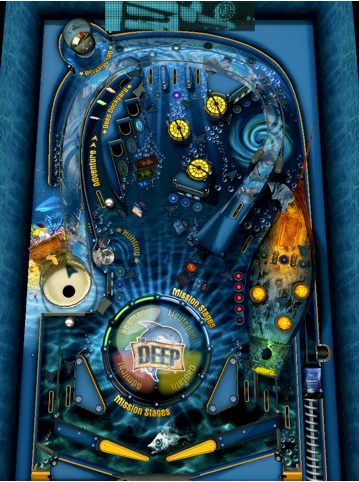
Anyhow, Granger the Non-Gamer has only regularly played two games on his iPad. My favorite is Pinball HD, which I think is fabulous, especially enjoying its The Deep table. And The Solitaire is fine – I like how you can drag the cards around (unlike SolFree, which only lets you tap to move them and on the iPad is stuck in its small portrait-only iPhone mode). But I don’t like the background nor the card fonts on The Solitaire, so I may look for an alternative.
Productivity Apps
 Here is where the iPad fails against the netbook. It just isn’t well suited to productivity apps like word processing or spreadsheets. Getting your documents into and out of the iPad is too hard – the last thing I want to do is have to sync the iPad to the godawful iTunes for Windows on my desktop computer via a USB cable and then hand-select which documents to make available. And while I have bought Apple’s Numbers, Pages, and Keynote iPad apps, what little use I’ve made of them left me frustrated. I don’t like the touch interface for spreadsheets, and the incompatibilities of the Apple programs with the files I’ve created with Excel or, god help me, Word (I still do things in WordPerfect whenever feasible), remind me of why I never bought a Macintosh – I want to edit my files in their native format and forget about it.
DropBox thankfully makes getting documents onto the iPad for viewing far easier, but I can’t envision editing work documents and spreadsheets on the iPad unless Microsoft creates Excel and Word apps that make good use of both the touch interface and an attached keyboard. I doubt that will happen anytime soon, and I think a mouse would still be great for spreadsheets and we know Steve Jobs won’t let us heretics use a mouse on the iPad.
As for blog posting on my day hike trips, it is looking sketchy on the iPad for now. I’d want a better photo editor app than I’ve been able to locate thus far, and the WordPress blogging app is only useful on the iPhone. When editing a previous post it isn’t WYSIWYG but instead has a graphical preview-only mode. I haven’t tolerated that since WordPerfect for DOS, folks. Thankfully I can simply edit my blog in the iPad’s Safari browser.
Syncing
 Don’t – except when you have to. You need to sync the iPad with your desktop computer to activate it and install your initial apps, data, and the like. But I’ve rarely synced my iPad since then. iTunes for Windows is a slow buggy mess, and since I don’t listen to music on my iPad, why sync it regularly? I can buy and update its apps through its own App Store app, download podcasts onto it via the iTunes app, send myself documents via email or Dropbox, and so forth. If Apple ever enables wireless syncing (why they have yet to offer it for the iPhone and iPad is a mystery to me) I’d probably sync more often. But until then, I’ll just sync my iPhone with the desktop, and that now requires a bizarre set of arcane procedures to get iTunes for Windows to recognize my phone. Apple’s suggestion to reinstall iTunes worked only once and then the troubles recurred. Sometimes I wish I had a Mac…but that would require more lucrative employment.
Screen
The iPad screen is bright, colorful, and very crisp. In fact, it is gorgeous, and has a very wide viewing angle. I’m glad to find out that IPS screen wasn’t just marketing. And the touch response is superb. One of the nicest things about the iPad over the iPhone is how its faster processor makes it very quick – you almost never see those pauses that one encounters so frequently when using an iPhone. Your fingers do leave smudges all over the screen, especially if you’re eating, but they aren’t all that noticeable until you shut off the display, and the oleophobic coating means you can wipe the smudges away easily on your clothing if, like me, you don’t want to bother carrying around a cleaning cloth.
Battery Life
 Unlike my experience with the iPhone, battery life has been a non-issue with my iPad. It goes for hours and hours between charges, so every few days I hook it up to the wall overnight and I’m set. I usually only have to charge my iPhone every few days as well, but whenever I use the TomTom GPS app or the MotionX GPS app to track a dayhike, I know I’ll need to have my DEXIM BluePack handy as well as my Griffin iTrip Universal Plus.
Which Accessories and iPad Model to Buy
My advice is to get a case that can prop the iPad up and then forget about it. As previously noted, I have Apple’s iPad case and camera connection kit. I like the case okay, although I do dislike the grime-attracting material they used for its exterior. I’ve yet to have cause to use the camera connection kit, but it may eventually come in handy.
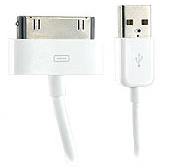
I also bought the iPad Dock and do NOT recommend it. You can charge or sync the iPad with the free cable that came with it, and a case with a prop-up feature will let you use the iPad as a digital photo frame while you are charging if that appeals to you. The biggest bummer about the iPad Dock is that you can’t use it when the iPad is in Apple’s case, and I’ve never once been tempted to yank the iPad out of that protective tight-fitting shell. I’m selling my iPad dock online to get some of my money back.
As for which model of iPad to buy, with its current functionality a 16 GB model with both 3G and WiFi should be fine. I haven’t made effective use of the extra 48 GB I paid an extra $200 for, although perhaps when iPhone OS 4.0 arrives on the iPad in the fall the multitasking features and more ambitious apps will change my tune.
3G Plan
 I opted for the unlimited $30 a month plan for my iPad’s 3G cellular connection, but checking my account under Settings > General > Usage reveals that in two weeks I’ve only used 85.6 megabytes in the first 15 days, so at that rate over the thirty days I’ll only have used 171 MB. So next month I’m canceling the unlimited plan and going to try out the 250 MB plan. If that holds up during June, when I’m not at work and thus out-and-about with the iPad much more, that will shave the cost of keeping the iPad connected at all times from over $360 per year to half of that. And if I do need more data, I can just pay another $15 for another 250 MB or jump back to the unlimited plan. That’s a far better deal than I expected, given my $80+ monthly AT&T bill for my iPhone. That’s only fair, however, since AT&T still won’t let you tether your iPad to your iPhone.
UPDATE: After AT&T restructured their iPad/iPhone data plans in early June, I checked my usage history and switched from the $30/month unlimited plan on my iPhone to the $15/month 200 MB DataPlus plan, which will cover my typical monthly usage on the device. I had already switched to the $15/month plan on my iPad, so my total monthly cost for the 3G connections on my iPad and iPhone is now the same as it was for the previous two years for the iPhone alone.
End Result
 I’m very happy that I bought the iPad – it is more than a toy and is quickly integrating itself into my daily habits. It doesn’t replace my iPhone, my netbook, or my Apple TV, but it does pretty much displace my Kindle. And hopefully it’s the last portable electronic device I’ll carry around, or I’m going to need some of Andy Ihnatko’s tactical pants!











 Meador Manor