For months I have been asked, “What are you going to do when you retire?” I usually answer flippantly, but an honest partial answer would be that I hope to whittle down my collection of unread books, including listening to audiobooks while doing more day hikes.
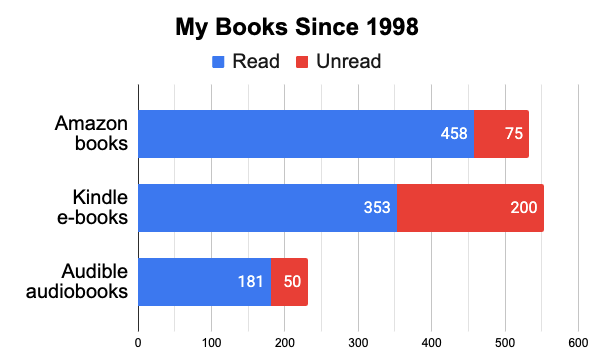
Since 1998, my book acquisition rate has been about one per week. Over the past 28 years, I purchased 533 physical books from Amazon and an indeterminate number from Barnes & Noble, eBay, and AbeBooks. I also acquired 553 Kindle e-books and 231 Audible audiobooks.
I had built up a library before I began using Amazon, and despite selling off 110 books back in 2010 and donating 700 to the public library in 2016, I still have about 350 physical books in my office, with maybe 75 of them waiting to be read. I also have a couple of hundred unread Kindle e-books and dozens of audiobooks I haven’t listened to. I track my reading on both LibraryThing and GoodReads, and I’ve been reading thirty-odd books a year while acquiring about fifty, and the imbalance has built up.
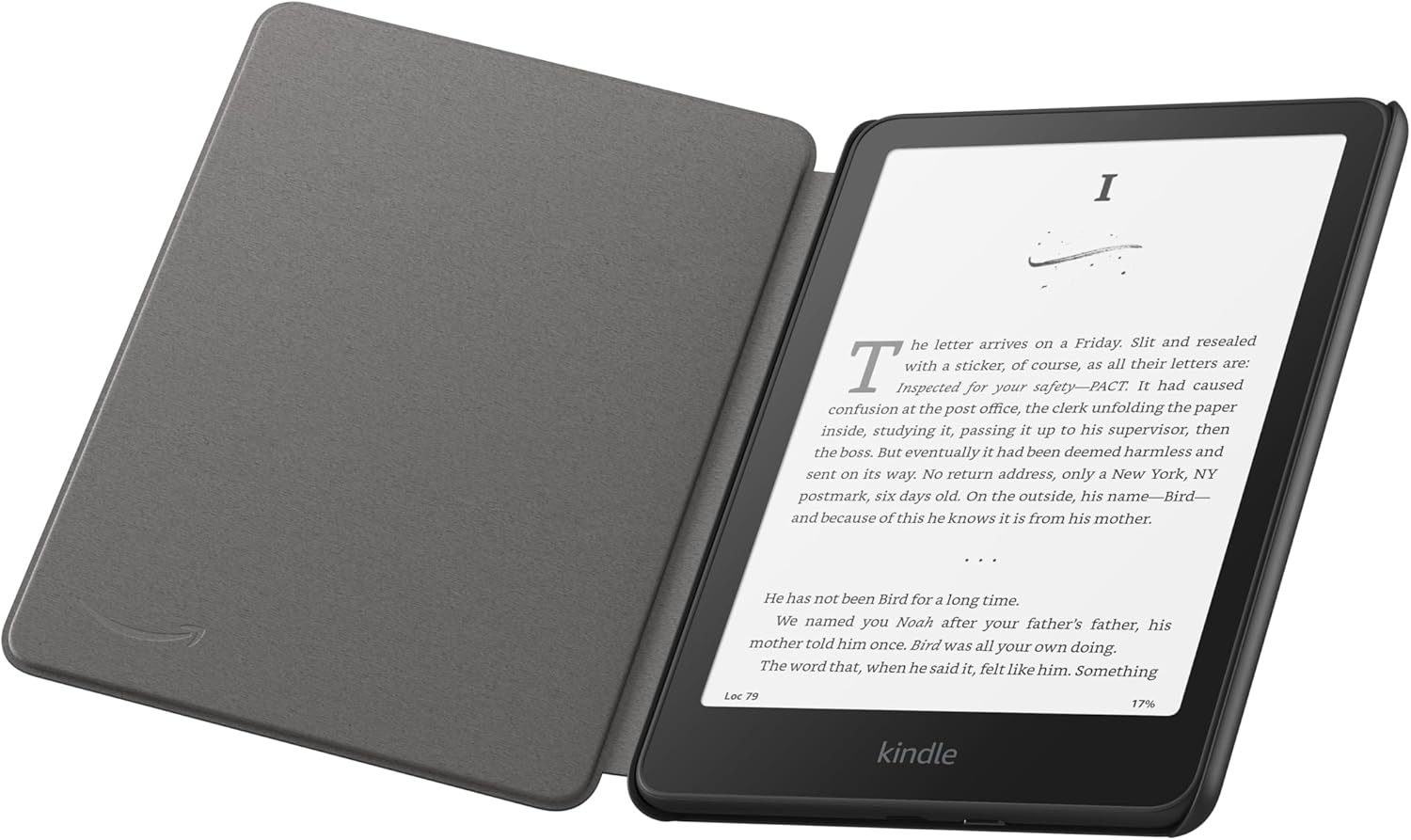
I bought the first version of the Kindle e-ink reader back in 2008, and I am now on my eighth model, a Kindle Paperwhite Signature Edition in a custom case. I have been reading on my Kindle about 18 days per month, and currently I’m on a 33-week usage streak. In 2025, almost 3/4 of the books I completed were e-books, but I didn’t get them all from Amazon, and several of them were free.
Public Domain Books
Most often I download a sample e-book from Amazon and then complete the purchase if it grabs me. However, for works in the public domain that have fallen out of copyright, I have other options.
I have usually relied on Project Gutenberg, which has over 75,000 titles, for free public domain e-books. However, Gutenberg’s formatting is often clumsy, and beware that some public domain translations of classic world literature, especially of Jules Verne, are just trash, requiring some research to avoid clinkers. Getting Gutenberg’s books into my Kindle collection is fairly easy: I just download an EPUB version from them and then use Send to Kindle.
Standard Ebooks produces higher-quality and better-formatted versions of public domain e-books than Gutenberg, but their selection was limited to 1,374 titles in early 2026, and getting them onto my Kindle is more involved. Amazon deliberately creates friction in getting third-party books onto its devices, and while you can download an AZW3 version for Kindles from Standard Ebooks, I had to download that to my Mac, get a special program from Amazon to allow my Mac to interact with my Kindle’s file system, connect the two with a USB cable, and then copy the AZW3 file into the documents folder on the Kindle and a separate cover image file into its system > thumbnails folder. The resulting e-book was nicely formatted, but it was trapped on that device and not available in the Kindle apps on my iPhone, iPad, or Mac. So if you like to read the same Kindle e-book on a variety of devices, I would skip Standard Ebooks in favor of an EPUB from Project Gutenberg and Send to Kindle.
The friction with third-party books has manipulated me into sometimes paying a few bucks for a Kindle version directly from Amazon, particularly when I could cheaply get an author’s entire oeuvre in one enormous e-book. For example, I happily paid $1 for everything by Mark Twain and $3 for 36 translated Jules Verne books, after checking on the quality of a couple of the Verne translations. Oh dear, that means I technically have dozens more unread books…
Open Library
Some books, especially genre commercial titles from decades ago that are still under copyright, are not available as e-books. So on occasion, and particularly when doing research, I’ll try the Internet Archive’s Open Library. For a decade it provided free access to e-books, loaning them out to one user at a time, but during the pandemic it made a poor choice, lifting the cap on loaning e-books. That led to court battles which nearly bankrupted the Archive and resulted in over a half-million titles being stripped from its collection. The losses were mainly in-copyright commercial works, and thankfully the service still has over three million titles, although there are many near-duplicates of popular works in a multitude of different editions.
Public domain books in the Open Library tend to have downloadable PDF versions you can use in Apple’s Books app as well as EPUB files usable with Send to Kindle (which no longer supports the old MOBI file format), or you could try loading those books into the Cantook by Aldiko app. However, sometimes the text versions are lousy optical character recognition scans and you’re better off reading the actual scan of the physical book on Open Library in your web browser.
Other titles in the Open Library that are still under copyright are restricted to borrowing. Some reportedly can be borrowed for 14 days and might even be downloaded and read in the Cantook by Aldiko app, but lately the ones I have been interested in could only be borrowed for an hour at a time for reading in a web browser, although they could be borrowed again and again if they were not in demand.
When I can’t find an e-book, I am willing to pay for a used print version. I loved Keith Robertson’s Henry Reed books for children back when I was in elementary school, so during pandemic travel restrictions I sought out the six adult mysteries he authored under the pen name of Carlton Keith. At least half of them, Rich Uncle, The Crayfish Dinner, and Missing, Presumed Dead, are available at Open Library. However, I ordered physical copies of all six from used bookstores in Illinois, Ohio, New York, Tennessee, Texas, and even New Zealand via AbeBooks. I’ve read four of the six thus far, and my favorite was Rich Uncle, so I’m glad it is readily available for others to enjoy. I donated my copy of it to a Robertson collector.
Libby
An option I have far less experience with is Libby by OverDrive. It is available via many public libraries, including my Bartlesville Public Library account. However, it took a couple of attempts to get it working for me.
After childhood, I didn’t like the time pressure from two-week checkouts for books from the public library. So I’ve mostly used our local library for its extensive history room resources and its meeting spaces. Years ago, I would also stop in there or at one of the Tulsa libraries to read magazines, but such offerings gradually thinned and eventually disappeared.
Fifteen years ago, I paid for an annual subscription to the Tulsa City-County Library system so that I could drive to the main library in downtown Tulsa and check out audiobooks on cassette tapes to listen to while driving on my dayhiking trips…audiobooks have always been quite pricey. Audible on my iPhone eventually made that unnecessary, so long as I was willing to pony up.
Late in 2025, I noticed that some of my Facebook friends who are avid readers utilize the Libby app, so I tried logging in. However, it said my Bartlesville Public Library card was invalid. A few weeks ago I was in the local library’s history room, using their microfilm reader to access a 90-year-old grade card in regards to a legal matter. On my way out, I stopped at the circulation desk and inquired about my account. They said it had been suspended for verification, due to lack of use, but they quickly re-activated it.
However, a few weeks later I could not login with my account to the library website, could not reset my passcode, and the Libby service said my library card number was still invalid. I dropped in again at the library, and when I showed them my library account number, they immediately figured out the problem. When I added the number to my iPhone password manager years ago, three leading zeroes were dropped. Once I knew to add those back, I could reset my passcode and log in to the library’s online portal, and Libby also began recognizing my account. I should have taken the time to dig out my old library card, as the account number on the back included the leading zeroes!
The OK Virtual Library has 51,000 books and 18,000 audiobooks, including 41,000 Read With Kindle books. I tried a Kindle one out, and once I synchronized Libby with my Amazon account, it was a breeze to check out a book and then begin reading it on my Kindle…noticeably easier than loading public domain books from Gutenberg or Standard Ebooks, although Meador’s Law of the Conservation of Happiness holds true: Libby checkouts expire after two weeks.
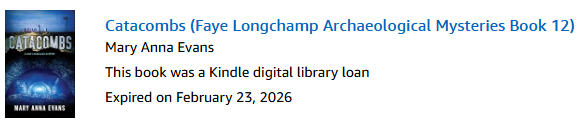
Since I was just testing out the app, I didn’t want to keep the book checked out to me for two weeks in case someone else would want to use that license. I didn’t find a way to check it back in from my Kindle or my Kindle apps, but when I selected Books in my Amazon Digital Content library, the checkout was shown with an option to return the book early.
While the Libby service can offer magazines, your local library has to pay for such access. Bartlesville doesn’t, but I found I could get access to over 100 magazines from our library’s partnership with Hoopla. That provides up to eight audiobook, movie, music, comic, e-book, television, or BingePass titles each month, and there is a 7-day BingePass for Hoopla Magazines, although I was disappointed, albeit not at all surprised, to find that world titles like Sight and Sound and Cahiers du Cinéma are not on offer.
I’m very glad to see that our library and others have made progress in adding electronic checkouts to their panoply of services. By the way, if you like video documentaries, there is a Curiosity Stream BingePass.
Read!
I’m told you can also find free e-books at BookBub and Manybooks, although I haven’t tried them. I already have hundreds of purchased books awaiting my time and interest, but it is nice to have options, especially the free ones I’ve shared here.
Regular adult reading provides significant cognitive, emotional, and physical health benefits, including reduced stress, slowed cognitive decline, improved empathy, and increased longevity. If you prefer audiobooks, Libby has 18,000 and this week over 11,000 of those were instantly available to me for free thanks to my public library. There are also free public domain audiobooks at LibriVox, and while Audible charges for most of its wares, like any good drug dealer it does have some free audiobooks.
As for e-books, even if you are unwilling to try out the Kindle app on your mobile device or buy a dedicated e-ink reader, check out the above free options you can use on any web browser.





 Meador Manor