
After forty years, I have finally bidden farewell to Microsoft Windows. I had stopped using it at home in the spring of 2024, and my retirement at the end of June 2026 meant that I no longer used it at work. This is my Windows retrospective, starting in 1986 when I installed Windows 1.03 on my Tandy 2000 home computer.
Early Windoze was no GEM
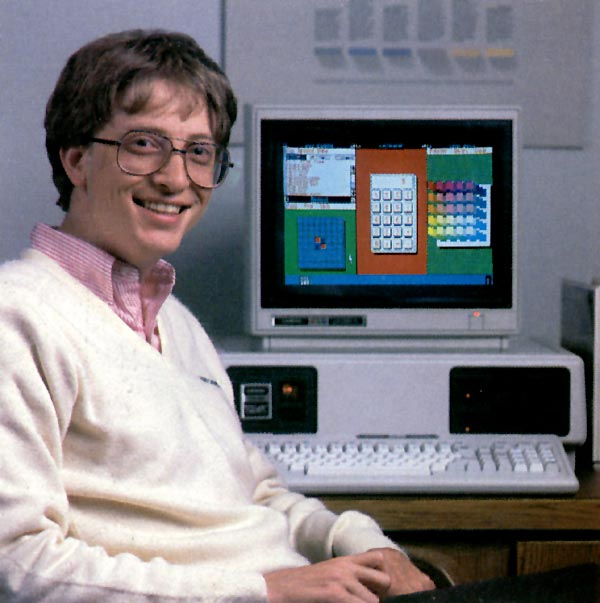
My Tandy 2000 was an advanced machine at the time, with the little-used 80186 microprocessor. That, along with high-resolution graphics and high-capacity floppy drives, meant that it was not fully IBM-compatible, but there were some major applications ported to it. I primarily used it for word processing and graphics for my undergraduate classes. I tried Multimate 3.2, WordStar, and Lotus Symphony, which all ran on MS-DOS 2.11, not Windows, and of those three, Multimate was the most tolerable.
By 1987, Digital Research had released its GEM 1.2 graphical operating system for the Tandy 2000, and its GEM Draw could be used to create graphics you could import into GEM Write. In the 1970s, Digital Research had produced the CP/M operating system that was used on many personal computers before the IBM PC was released. In 1987, I needed to create a document with a mix of text and graphics for an Instructional Design & Development class, so I used GEM Write. The mix of text and graphics also meant that I could not use my Radio Shack Daisy-Wheel II printer, but instead had to use my DMP-430 dot matrix one, which at least had an 18-wire print head offering higher resolution than most dot matrix printers, which had 9-wire heads.
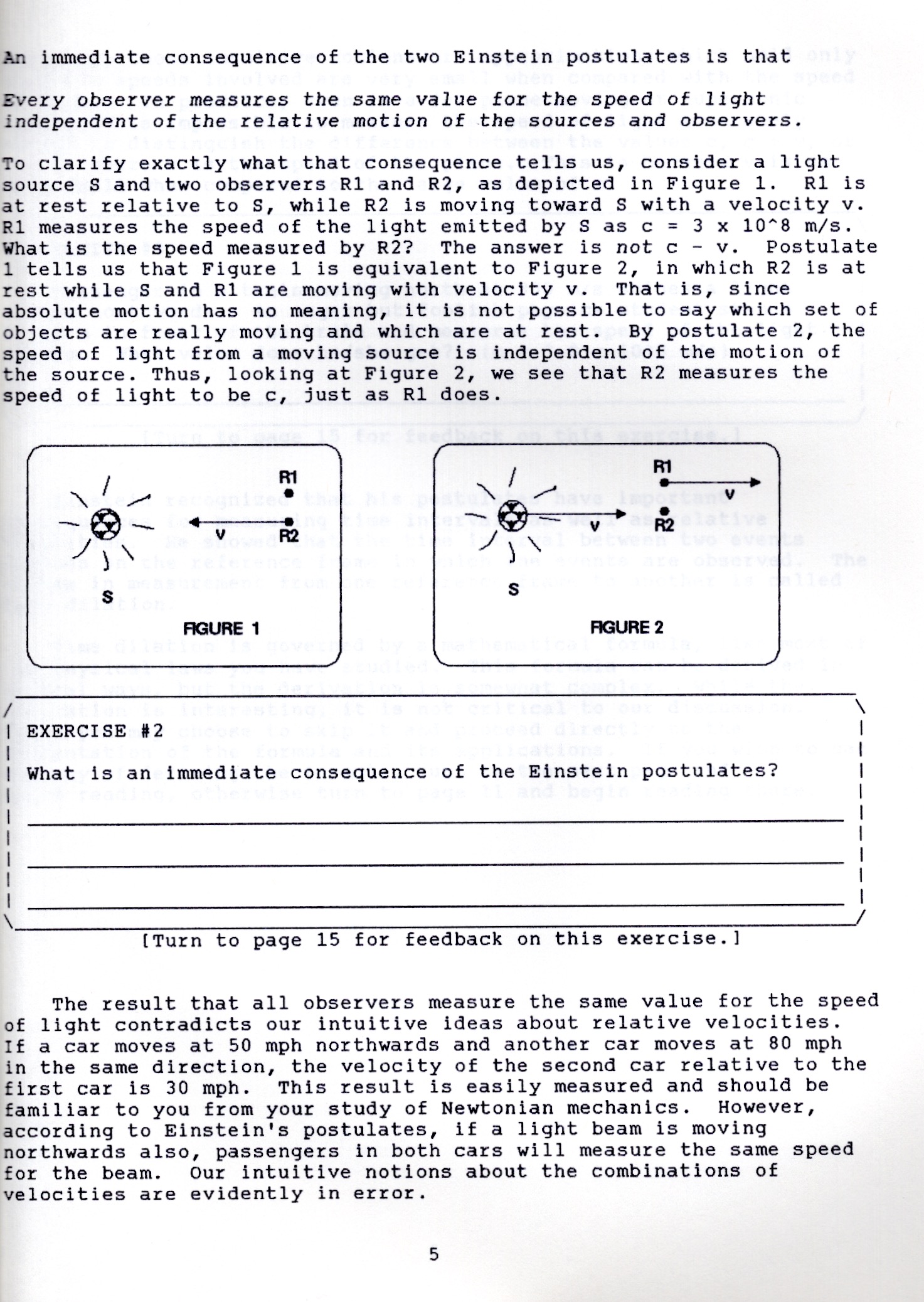
GEM was much more polished than Windows, which was still clunky, ugly, and s..l..o..w.., hence my habit of calling it Windoze.
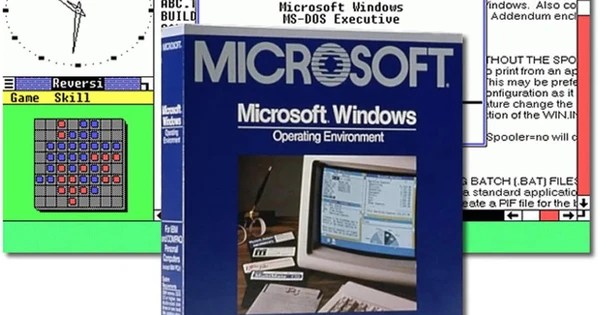
I tried Windows 1.03, but it used garish colors, was sluggish, and at the time had only tiled, not overlapping, windows. I skipped Windows 2.0 but later purchased Windows/286, which despite its name did not require an 80286 microprocessor and would still work on 8088 or 8086 microprocessors as well as the unusual 80186 in my Tandy 2000. However, none of those earlier processors could access the High Memory Area above 1 MB.
In 1988, I had tired of the compatibility limitations of the esoteric Tandy 2000. Recognizing that 80386 machines with VGA graphics had surpassed it, I bought a CompuAdd machine with a 16 MHz 80386 microprocessor that was fully IBM-compatible.
It came with MS-DOS and I tried Windows/386 on it, which offered protected mode allowing you to run multiple DOS apps. However, Quarterdeck’s DESQview and the QEMM386 memory manager were a superior way to run multiple DOS apps, and I encountered no compelling Windows applications.
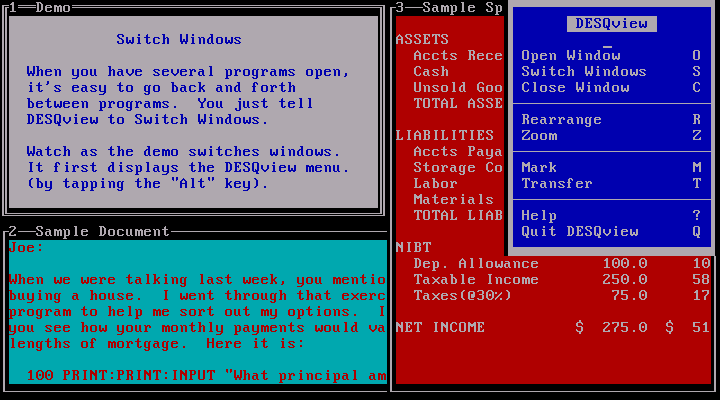
Managing memory was a constant headache in those days, with various workarounds of the 640-kilobyte addressable RAM limits via expanded and extended memory. Be grateful if you never had to learn the difference.
WordPerfect for DOS vs. Windows
While working for Scholars Programs at the University of Oklahoma in the late 1980s, I learned to use WordPerfect 4.2, and I adopted that as my word processor of choice even though it was a text-based application running on the venerable Microsoft DOS. Thankfully, it was fully compatible with my Tandy 2000, and I continued to use it on my new 80386 machine as well.
Professors at the University of Oklahoma and teachers at Norman High School had created inquiry science curricula based on Piagetian theory, which were available as thick comb-bound books of originals printed with a low-resolution dot matrix printer. I had purchased a Hewlett-Packard LaserJet Series II printer, so when I started teaching physics at Bartlesville High School in 1989, I used WordPerfect for DOS to create my own versions of each unit, printed in high-resolution with quality graphics.
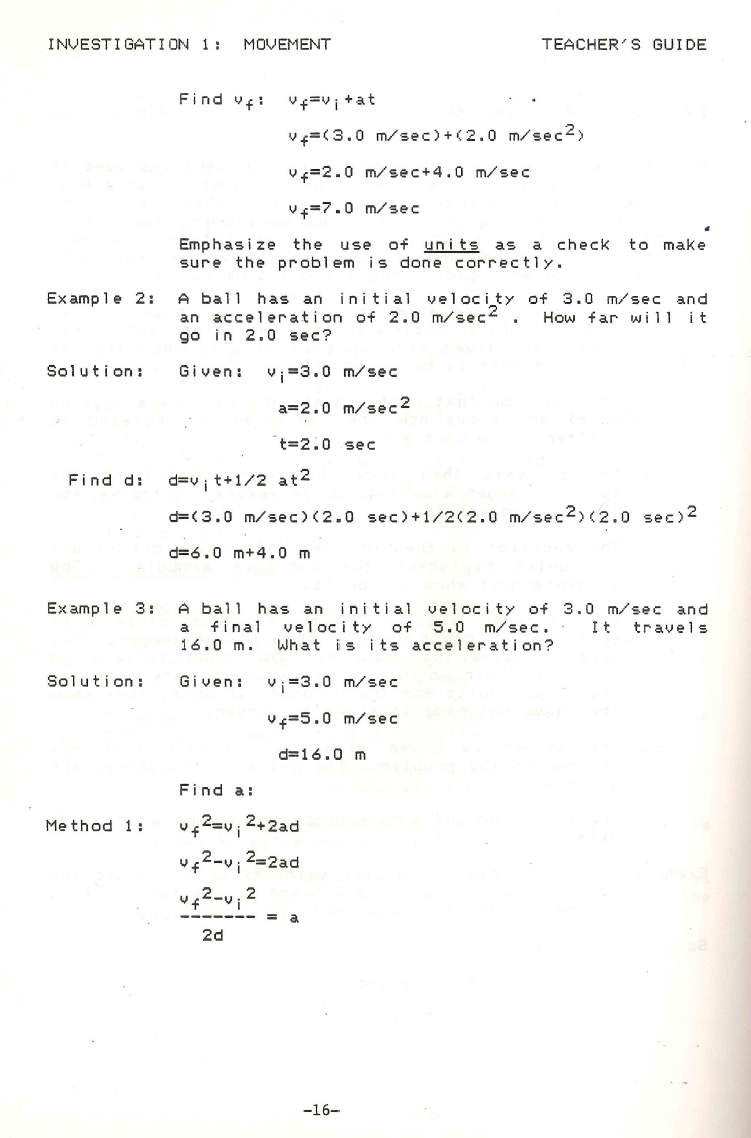
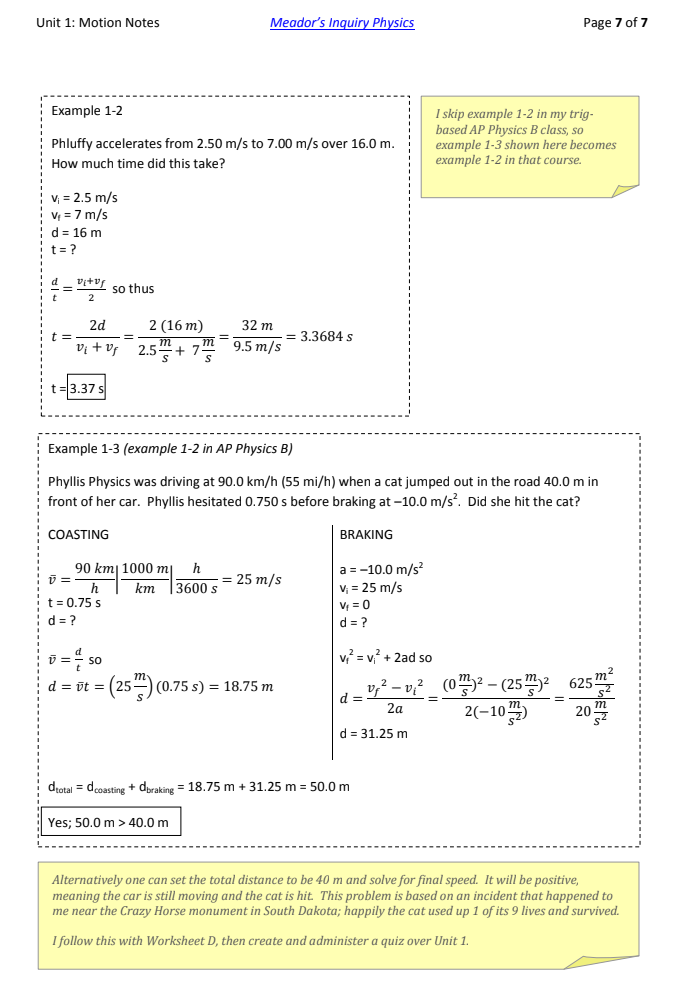
Back then there was only one personal computer in the high school science department, an Apple IIc reserved for the chair. The pace of improvement was such that I considered that machine hopelessly outdated. My use of an 80386 home computer with WordPerfect and a laser printer was unusual enough that when I distributed my handouts to students and they noticed references specific to our classes, some asked me wonderingly, “Did you write this? This isn’t out of a book?”
That fall, WordPerfect 5.1 for DOS was released. It added a non-editable graphical preview, so I still didn’t need Windows. I switched to using it for my re-creation of the physics curriculum.
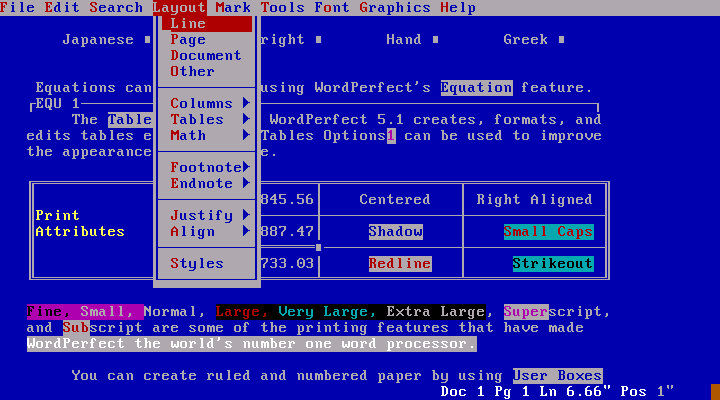
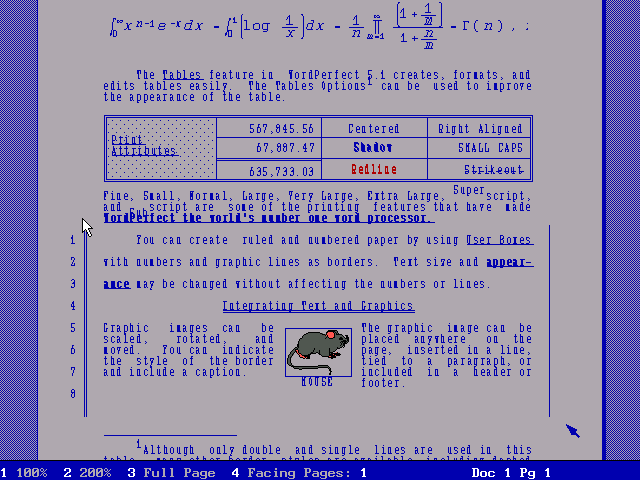
WordPerfect for DOS did not have an editable what-you-see-is-what-you-get mode until 1993 with version 6, but they still had expanded to 60% of the word processing software market at that time. There was an unstable WordPerfect 5.1 for Windows in 1991, and in late 1992 they finally released a stable but clunky Windows version of WordPerfect, but I stuck with the DOS version since Windows 3.11 was slow going.
Early Networking
Bartlesville Public Schools had technology bond issues in 1993 and 1995 that failed. They all received over 50% approval from the voters, but Oklahoma has always crippled its public schools by requiring a 60% super-majority for school bond issues, while a simple majority is sufficient for other bond issues. So for the first decade of my teaching career, I had to rely on hand-me-downs, grants, and donations for all of the computer technology in my classroom.
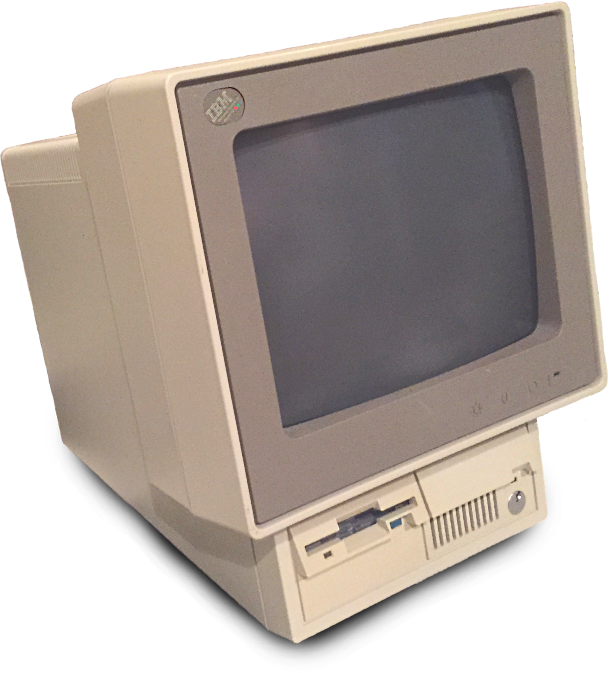
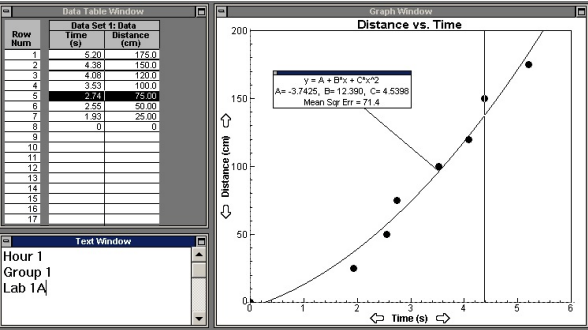
I convinced the district technology department to give me seven IBM PS/2 Model 25 computers. They were only outfitted with floppy drives and had been abandoned by the business department. I was able to use Vernier Software’s Graphical Analysis for DOS program on them for students to create graphs of their laboratory data. However, I insisted on each student printing out his or her own copy of their lab group’s graphs, and I could only scrounge a handful of old, slow, and noisy dot matrix printers, not enough to have one per lab group.
So I used some “EZ Print” dongles that used RJ11 telephone cables and some manual switchboxes to allow multiple lab groups to share a printer. It was slow, but it worked and the software could do best-fit lines and curves instead of my students having to manually create a graph with a guess at a best-fit line. For graphs that might be parabolic, before computers they had to regraph the data by hand with a squared axis so they could then manually draw a best-fit line to estimate a quadratic equation. Computerized analysis was far superior, even with the technological limitations of limited and outdated hardware.
When we needed to use class data, I used “sneakernet” where I would gather up floppy disks with the lab groups’ graphs and manually load each one into my computer to then generate a class graph. You can imagine the headaches, but it still beat having students write data on the chalkboard for me to manually type into the computer given our limited classtime and board space back when I was teaching five or even six classes a day.
In late 1993, Microsoft released Windows 3.11 for Workgroups, which was the most successful version of Windows before Windows 95. It was still pretty ugly, but it did support networking, and as more applications included graphical interfaces, Windows became more useful.
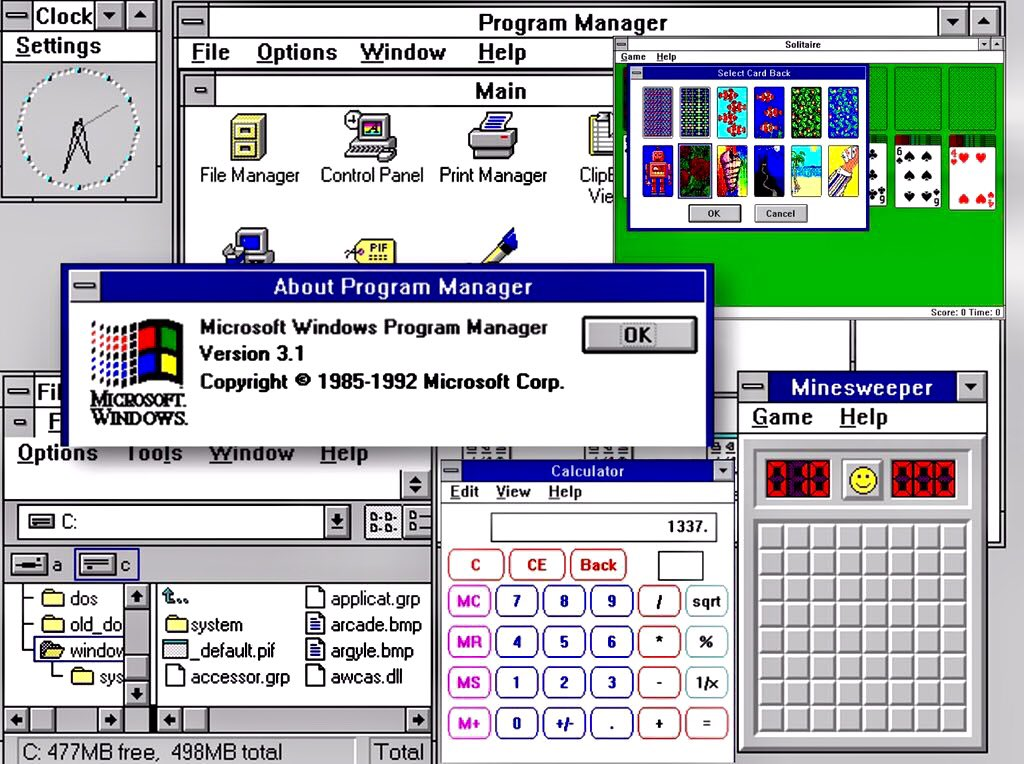
In 1997, my classroom at Bartlesville High School still had no network ports, but Windows 3.11 for Workgroups advertised its networking capabilities in its very name. So once I acquired seven hand-me-down 80486 desktop computers for my classroom’s lab stations to replace the floppy disk Model 25s, I wrote a state Advanced Placement program grant for a Gateway Destination computer with a big CRT monitor and a classroom laser printer.
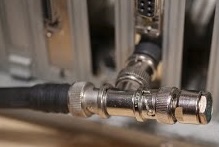
I also built a peer-to-peer network. I first bought a Networking for Dummies book and then went to a former TG&Y on Frank Phillips Boulevard in Bartlesville that Phillips Petroleum had turned into its Account Recovery Center for surplus equipment. There I scrounged 10BASE2 thin coaxial cables and early Ethernet cards, which had been the dominant 10 Mbit/s Ethernet standard until 1988, when Ethernet over twisted-pair cables was introduced. Technology that Phillips considered obsolete was cutting edge in our resource-scarce environment.
That coax network allowed me to connect all of the Windows 3.11 lab stations to the Gateway Destination system and a laptop running Windows 95, along with a laser printer hooked to an external JetDirect print server. That reduced the time to print graphs by 75% and let me remotely gather all of the student data at my teacher station. No more sneakernet!
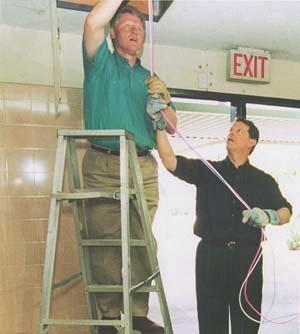
My classroom wasn’t wired for internet access until I did it myself by leading a team on one of the NetDays in October 1997. In the morning, community volunteers helped me run twisted-pair cabling from a ground floor server room up into the upper floors of the annex, with a hub in my physics stockroom and another one floor below for the foreign language classrooms. That afternoon we climbed tall ladders to open up the suspended ceilings over 12 feet above the floors in the science labs so that we could thread twisted-pair cabling through cracks in the wall bricks from room to room, leading to panduit we ran down the walls in each lab to new ethernet port boxes.
However, the district’s technology department failed for a year to get the added ports working. Our NetDay wiring sat unused, and when I added a Windows 98 laptop to my own little peer-to-peer 10BASE2 network, at first it couldn’t print due to a software conflict. I resolved that, but I had added some Vernier data probes to the COM2 ports on the lab station computers, and that created an interrupt conflict that made the computers wink in and out of existence on my 10BASE2 network until I figured out what was going on and changed all of the network cards to use a different IRQ. Managing the random access memory and interrupts on old personal computers was quite frustrating.
Twisted Pair
It wasn’t until 2000 that the district was able to pass a bond issue that brought a networked computer to every classroom, and I replaced the 10BASE2 network in my lab with twisted-pair cabling thanks to a new set of hand-me-down computers that came with 8P8C Ethernet cards.

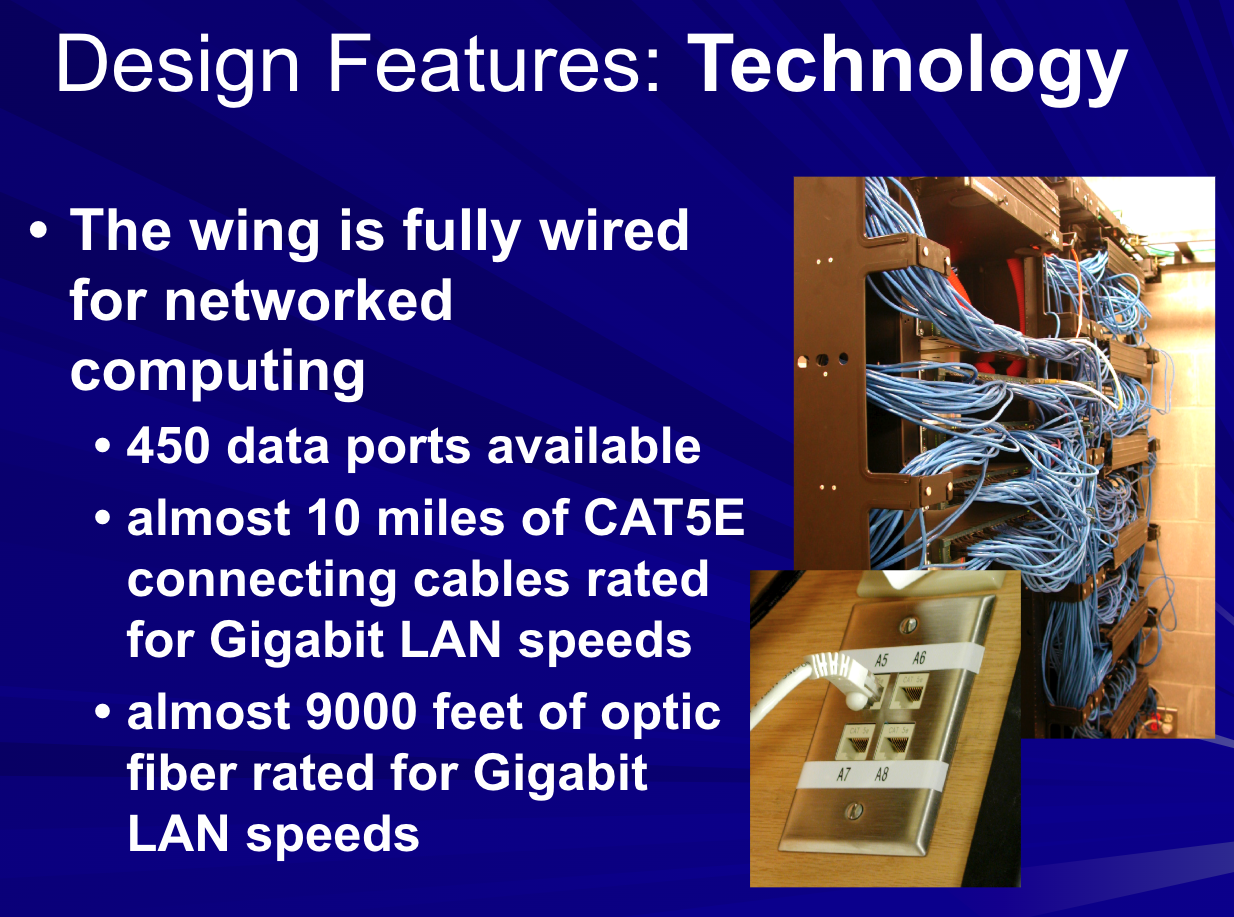
In 2001, another bond issue funded a new science wing, which opened in 2003. I ensured we had network ports on the demonstration desks, each wall, and at each lab station.
Thankfully, the new wing also provided much larger lab stations, which was particularly helpful in that era of deep cathode-ray-tube monitors.
After that, every few years I would receive a new set of seven hand-me-down desktop computers, usually retired from a business lab, for my physics lab stations. Eventually that included a set of thin LCD monitors.
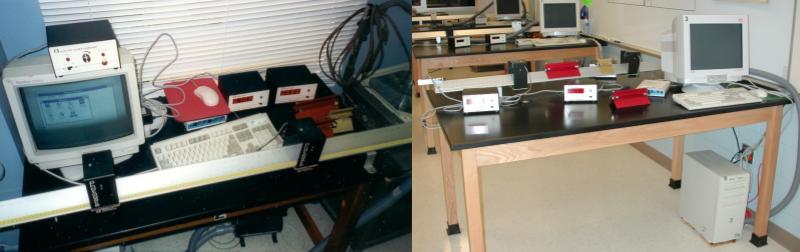
With each update, I would go through the gyrations of getting everything working with a new version of Windows, and we were still using later versions of the Vernier Graphical Analysis for Windows software and their Logger Pro software up through my leaving teaching in 2017, although by then the computers were using the Windows 7 operating system.
When I was teaching, when I wanted each AP Physics student to do a full formal lab report, I refused to sacrifice precious additional instructional time shifting from the physics lab, where they collected and graphed their data, to a non-dedicated computer lab for them to do their write-ups. So I scrounged a bunch of old Windows laptops, which was a royal pain given that they always needed a bunch of security updates and could have trouble printing in my lab. I also spent hours at the start of each academic year installing updates on the Windows desktop computers at the lab stations.
Final Years at Work
It wasn’t until I had left the classroom for administration that every student had his or her own Chromebook that automatically connected with the district Wi-Fi and received routine automatic updates, and all of the work could be provided, completed, submitted, and graded electronically within the Canvas Learning Management System. These days, only the teacher station has a computer running Windows.
I continued using Windows on my administrative desktop and laptop computers, although I generally relied on a Chromebook for meetings. During my administrative tenure, the district made the transitions from Windows 7 to 10 to 11. I first used Windows 11 on a laptop computer in 2024, and in May 2025 my Windows 10 desktop computer at the office was replaced with one running Windows 11 Pro.
I made a habit of setting everything up for an evening board meeting first thing in the morning to ensure I could finish whatever lengthy updates the Windows 11 laptop computer might need, which often took over a half-hour to download and install. For my final board meeting, the laptop took 25 minutes to download and install the Windows and firmware updates before it asked about restarting, and then it took 15 minutes to cycle through a handful of restarts and firmware updates. Altogether, that month’s update process took 40 minutes to complete!
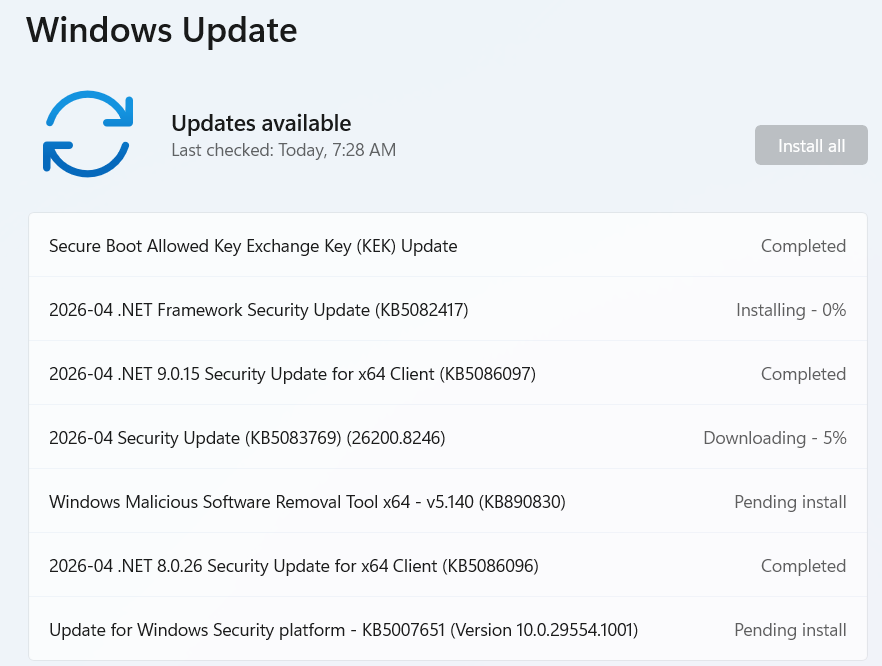
The glacial process of updating Windows 11 computers, even on fast systems with solid state drives, reminded me of the painfully slow and irritating update process for old versions of Windoze over a decade earlier, back in the days of slow spinning hard drives. Microsoft’s software bloat and the endless security fixes still manage to make startups and updates quite slow despite tremendous hardware improvements.
In April 2026, Microsoft executives acknowledged that Windows 11 needed more emphasis on “performance, reliability, and craft” having met resistance regarding plans to further integrate its Copilot AI into the operating system along with complaints of its lag and quality issues.
Windows at Home
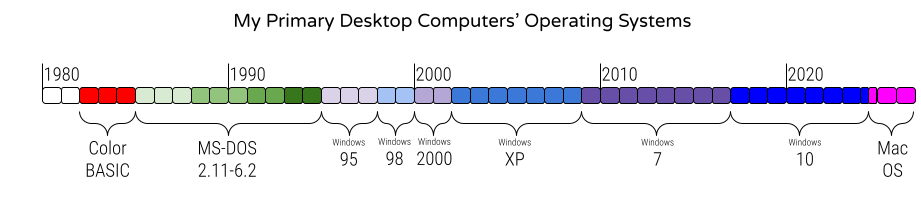
At home, although I installed and tried out Windows for years, it did not replace DOS as my primary operating system until Windows 95, and I would go on to use Windows 98, 2000, XP, 7, and 10 at home through early 2024.
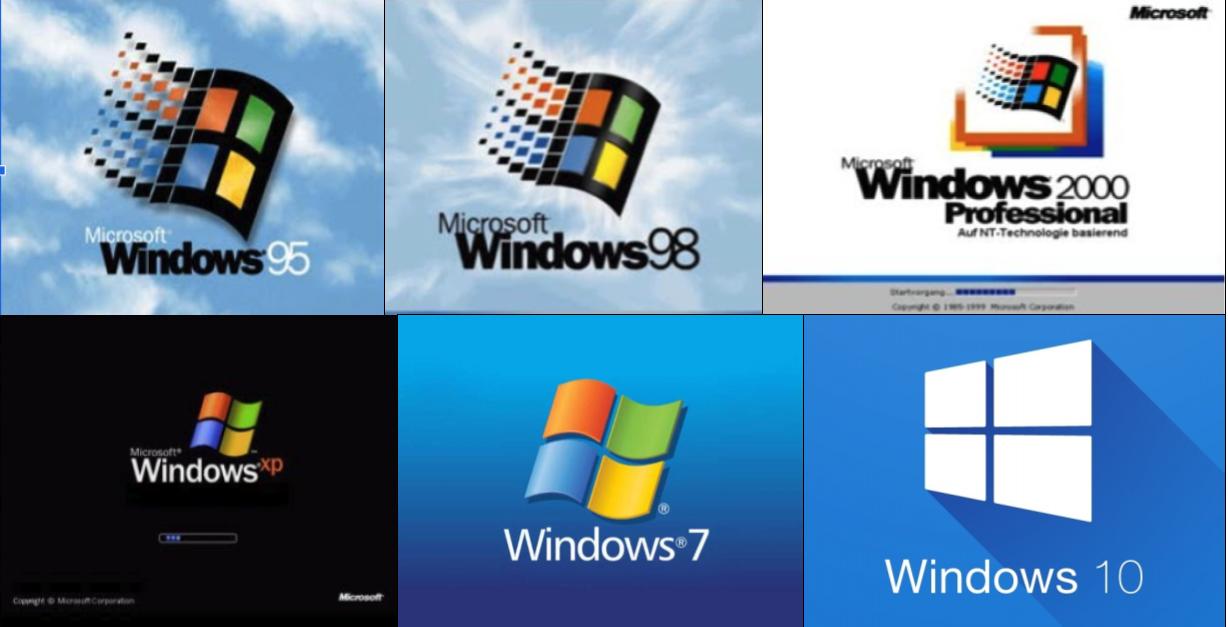
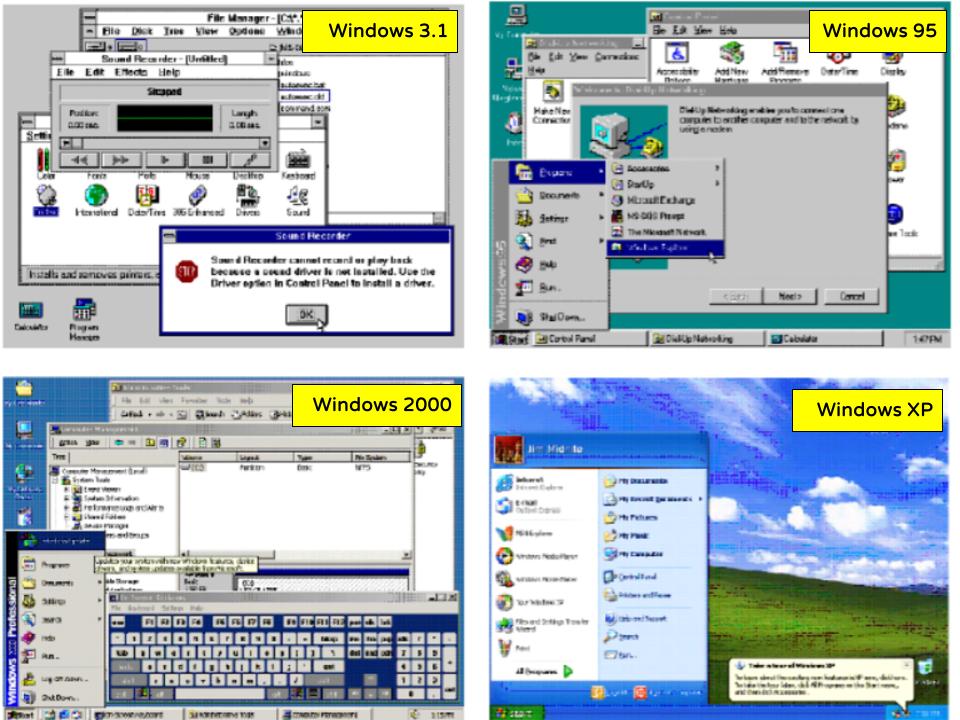
However, the initial installation of Windows 95 was rough. WordPerfect ran too slow, my bitmapped fonts were obsolete, and I could not print and use my ZIP drive simultaneously in Windows like I could with MS-DOS 6.2.
So I reverted back to DOS 6.22 while I invested more funds in my system hardware, replacing my 1993 Gateway 2000 desktop’s 66 MHz 80486DX microprocessor with an 83 MHz Pentium Overdrive chip, and increasing from 16 to 40 MB of RAM. That was enough to make Windows 95 tolerable, and in 1997 I finally switched from WordPerfect for DOS to WordPerfect 8 for Windows 95. I would continue to use WordPerfect until 2016, all the way through WordPerfect Suite X7, or version 17.
Two Thousand Windows
By late 1999, my 1993 desktop was inadequate to run WordPerfect 2000, Netscape 4.7 was taking to long to load, and Java was too slow. So I bought a Dell desktop with a 733 MHz Pentium III microprocessor, 128 MB of RAM, and Windows 98. That May, my former student Kyle Machulis was doing a summer internship with Microsoft in Redmond, WA and visited me, giving me a copy of Office 2000 Premium Edition and Windows 2000 Professional. I spent over 10 hours installing Windows 2000 on my home computer, and I was mightily impressed with Windows 2000. It was MUCH more stable than Windows 98.
However, after months of customer service snafus in 2001, I finally got broadband at home via Southwestern Bell’s DSL service. Their software didn’t work properly with Windows 2000, failing to properly report the dynamic IP address. My fellow teacher John Baird found some public domain software to fix that issue, and the DSL line worked for awhile but eventually was replaced by a cable modem after the local cable system upgraded from analog to digital signals.
The Windows eXPerience
Windows XP was released in 2001 as the successor to Windows 2000 and the hideous Windows ME. I once helped a friend with her Windows ME system, and I was so grateful that I had dodged that bullet. XP came from “eXPerience”, and I certainly eXPerienced plenty of crashes with XP; Windows 2000 had been far more stable.
I updated my desktop computer to dual-boot Windows XP or Windows 98, and in 2004 I updated to a computer that already had XP on it: another Dell system with a Pentium 4 3.6 GHz microprocessor, 2 GB of RAM, and a series of ever-larger hard drives in different RAID configurations.
Windows Vista was released in 2007, but the reviews I read of it were negative, and I did not adopt it. In 2008, I bought a tiny Asus Eee PC netbook, which came with Windows XP Home. After Windows 7 was released in 2009 to good reviews, I purchased a Velocity Micro desktop with that operating system, running on an i7-920 microprocessor with multiple cores. Thanks to Windows 7 being a 64-bit operating system, I could access 8 GB of RAM. Repeated upgrades allowed me to keep that system until 2017.
I liked Windows 7 so much that I made the effort to update my ASUS netbook from XP to 7.
Tasting the Apple

By 2010, I had never had much luck with Windows laptop computers. I purchased ones in 1997 and 2005 and the netbook in 2008, and none of them provided sufficient bang for the buck. However, I greatly enjoyed my new iPhone in 2008, and when the iPad was announced in early 2010, at first I was put off by its price of over $900, but I eventually decided to get one.
Having just bought a new Windows desktop, I was short on cash. So I embarked on a digital downsizing of my collections of books, DVDs, and my audio CDs. I sold off 110 books for $260, four audiobooks for $45, 33 DVDs for $78, and 350 CDs for $631. That $942 paid for a top-of-the-line iPad, which I greatly enjoyed. I bought six more iPads over the next 14 years, ensuring I am never without one.

I was so pleased with the iPad, and frustrated by the Windows netbook’s shortcomings for photo and video editing, that later in 2010 I bought my first Mac. The MacBook Air was stunningly thin when it was announced, and it lived up to the hype. The size, weight, and build quality were superb, and I steadily updated it from OS X Snow Leopard to Lion, Mountain Lion, Mavericks, Yosemite, and El Capitan.
However, I was still using Windows desktop computers at work and at home, and the Mac had too many incompatibilities for me to use it for more than blogging and editing photos and videos.
My Last Home Windows Systems
In 2017, I wasted a lot of money on one last Windows laptop: a top-of-the-line Microsoft Surface Book with a detachable screen that cost a whopping $2,600. I thought I might need that for meetings in my new role of leading the district’s technology and communications. However, I found that a Chromebook worked fine for my portable computing needs. So the Surface Book, which ran Windows 10 Professional, went mostly unused except during the first five months of the COVID-19 pandemic when I used it in a room at home for many remote meetings. I later used it for a few weeks when the power supply on my desktop computer failed.
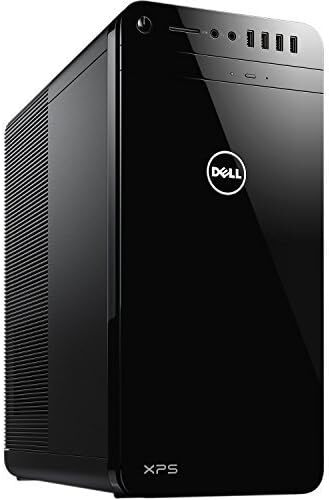
By 2017, I was using Windows 10 at work and that led me to finally replace my 8-year-old home desktop computer, which couldn’t handle Windows 10. After overspending on the last Windows laptop, I spent only $676 on a Dell desktop running Windows 10 on an i7-6700 microprocessor and 16 GB of RAM.
Its power supply failed in 2022, so I replaced that, but Microsoft refused to support the microprocessor on that computer for Windows 11, dooming it to obsolescence in October 2025 when Windows 10 systems would no longer receive security updates.
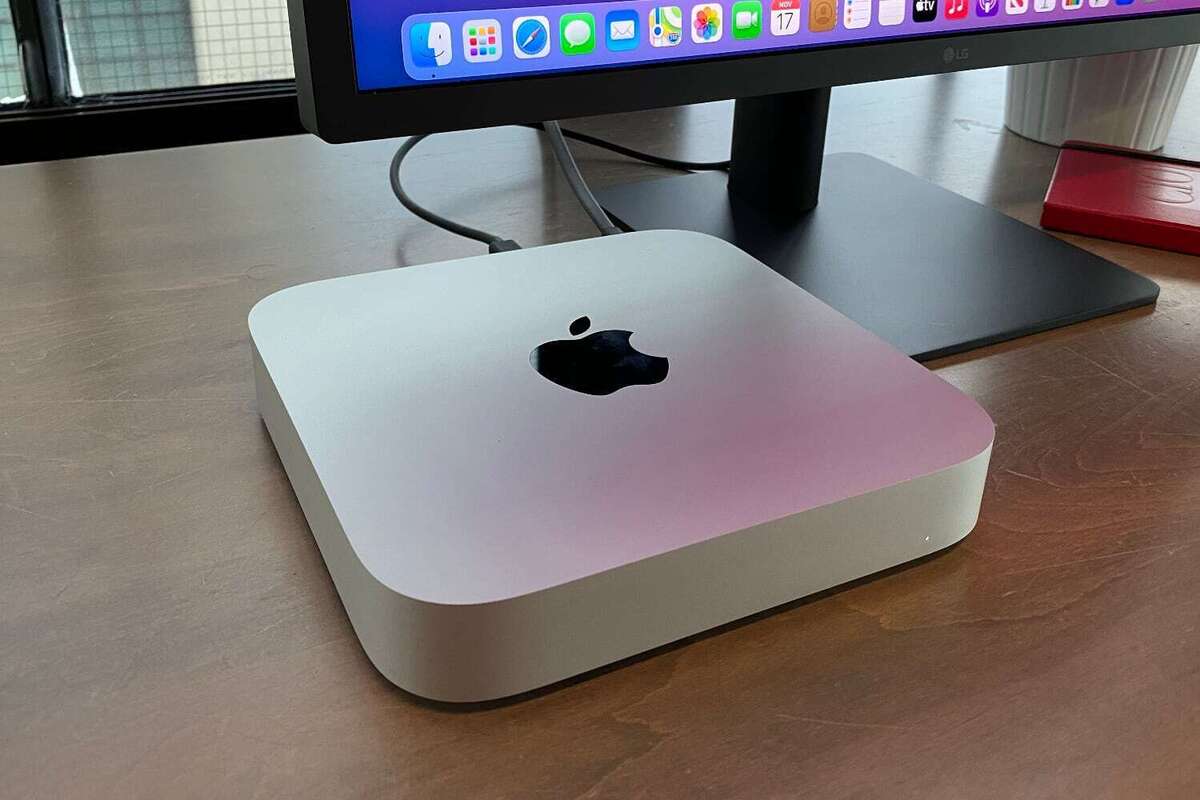
Unable to travel over the 2020-2021 winter break due to the COVID-19 pandemic, I bought a Mac Mini with a M1 microprocessor to explore if its integrations with the Apple ecosystem and ability to run some iOS apps would link it so well with my iPhone and iPad that it might become my primary home system. I had become increasingly annoyed at the kludges involved in getting photos off my Apple iPhone onto my Windows desktop, now that the iPhone’s camera was good enough to displace my use of handheld superzoom cameras.
My technological environment at work had shifted radically, thanks to my role in leading a 1:1 Chromebooks initiative that the pandemic expanded from secondary students to all students. I had started using Google Docs, Sheets, Slides, and Draw for almost everything instead of WordPerfect, Word, Excel, Powerpoint, and Corel Presentations. To me, it was time to “eat your own dog food” — if I expected staff members to use Google apps to better integrate their desktops with their new Chromebooks, I should do the same.

So in the spring of 2024, my shift away from Windows software made it feasible to try using my 2020 Mac Mini as my primary machine at home, retiring my Windows desktop and documenting my shift to the Mac in a series of blog posts. Happily, I found MacOS met all of my home computing needs, even with its own quirks, so I invested in a Mac Mini M4 Pro in late 2024.
The end of support for Windows 10 allowed me to get rid of my mother’s Windows desktop computer, replacing it with a Chromebox that suited her minimal needs of receiving email and playing an online version of Mahjong. However, my wife still uses Windows on her home computer, so it still exists at Meador Manor, although I don’t use it.
Little did I know back in 1986 that I would end up using Windows until I retired 40 years later. It was fine for work, but I’m glad to be done with it. Having many services in the cloud allows me to rely on the integrated services of my Mac, iPad, and iPhone, and I’ve closed my Windows once and for all.